

Yes, you can charge a DJI battery while it’s in the drone, but there are important considerations to keep in mind. Charging directly in the drone offers convenience, especially for users who are constantly on the go. However, understanding the safety protocols and battery management is essential for optimal performance and longevity. This article delves into the different battery types, charging options, safety precautions, battery management systems, maintenance tips, and common troubleshooting issues associated with charging DJI batteries.
Understanding DJI Battery Types
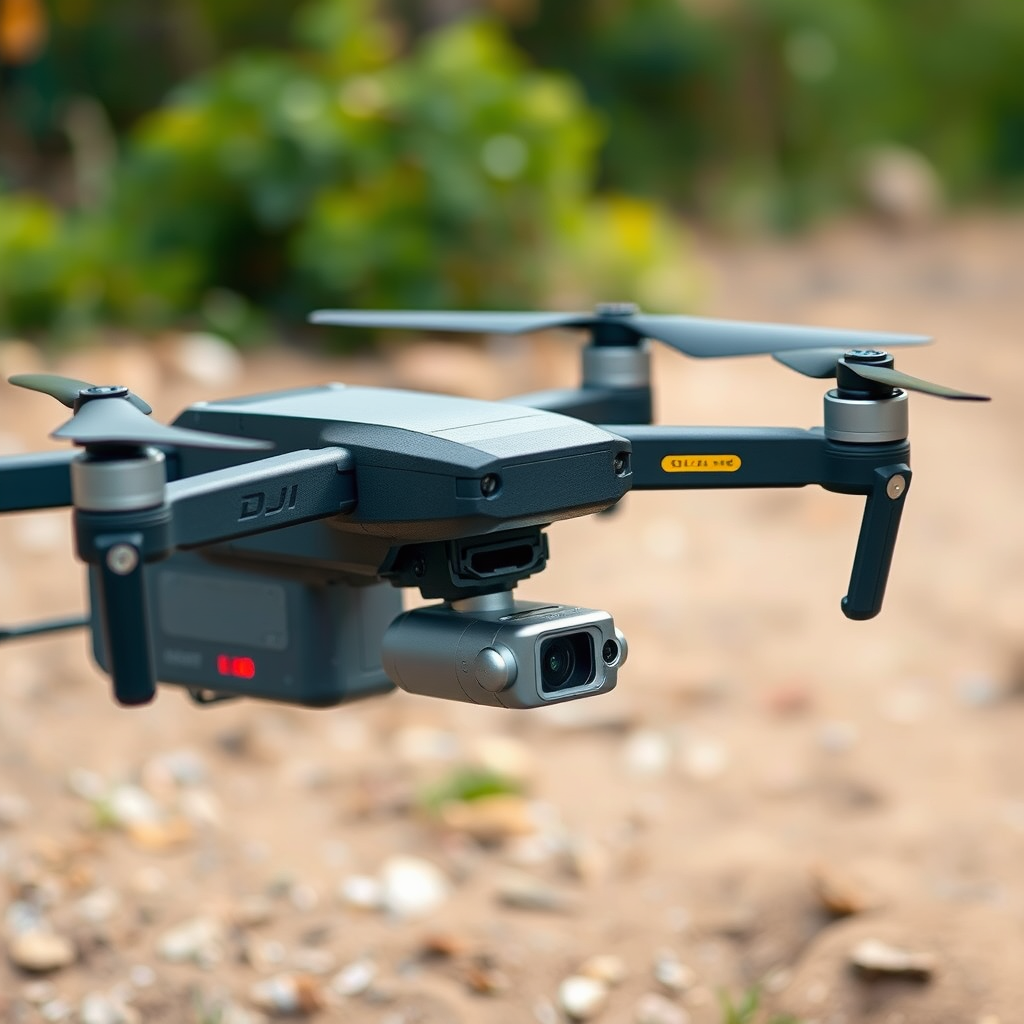
DJI manufactures a variety of drones, each equipped with different battery types, primarily Lithium Polymer (LiPo) and Lithium-ion (Li-ion). These batteries have distinct charging requirements that affect their performance and lifespan.
LiPo batteries are commonly used in drones due to their high energy density and lightweight nature. However, they require careful handling during charging to avoid risks such as swelling or overheating. On the other hand, Li-ion batteries are known for their stability and longer life cycles, making them suitable for users who prioritize longevity over sheer power output.
Familiarizing yourself with your drone’s specific battery model is crucial for determining the best charging practices. For instance, the DJI Phantom series utilizes LiPo batteries with a 3S configuration, while the Mavic series employs a more advanced Intelligent Flight Battery system that monitors individual cell performance. Understanding these specifics will ensure you adhere to the manufacturer’s guidelines, which can significantly enhance battery health and performance.
Charging Options for DJI Batteries
When it comes to charging DJI batteries, users have two primary options: the onboard charging system in the drone or an external charger. Each method has its advantages and limitations.
Charging the battery within the drone itself is straightforward. Simply connect the drone to a power source, and the onboard charging system takes over. This method is convenient for users who may not have access to an external charger, such as those flying on location. However, charging times can be longer, and the drone must be powered down during the process.
Conversely, external chargers often provide faster charging times. Many external chargers are equipped with advanced features such as balance charging, which optimizes the voltage across individual cells in the battery. This is particularly beneficial for LiPo batteries, as it reduces the risk of damage from voltage imbalances. Additionally, some external chargers come with displays that provide real-time data on charging status, making them a preferred choice for serious drone enthusiasts.
Safety Precautions When Charging
Safety should always be a top priority when charging any lithium-based battery. To mitigate risks, it is essential to charge batteries in a safe environment away from flammable materials and surfaces. Ideally, use a designated charging bag or a fireproof container to further minimize risks.
Monitoring charging sessions is another critical aspect of safe battery management. Overheating can lead to battery failure, so keeping an eye on the temperature during charging is recommended. If you notice any swelling, unusual noises, or excessive heat, immediately cease charging and consult the manufacturer’s guidelines on handling compromised batteries.
Moreover, never leave batteries unattended while charging. This practice not only safeguards your equipment but also protects your surroundings from potential hazards.
Battery Management Systems in DJI Drones
Most DJI drones are equipped with advanced battery management systems (BMS) that play a vital role in optimizing charging and discharging cycles. These systems monitor parameters such as voltage, temperature, and cell balance, ensuring that the battery operates within safe limits.
Understanding how the BMS operates can significantly enhance battery lifespan and performance. For instance, if the BMS detects that a cell is reaching a critical temperature, it can prevent further charging or discharge to safeguard the battery. Some models also feature a self-discharging function, which helps maintain optimal voltage levels during storage.
Users should familiarize themselves with the BMS notifications and alerts provided by their drone’s software. Staying informed about battery health indicators can help in making proactive decisions regarding charging and storage, ultimately leading to improved battery longevity.
Tips for Maintaining Battery Health
Maintaining the health of your DJI battery is crucial for ensuring reliable drone operation. One of the most effective strategies is to regularly check battery health indicators, which can often be monitored through the DJI app. These indicators provide insights into the battery’s charge cycles, voltage levels, and overall health status.
Additionally, performing firmware updates for your drone can provide enhancements to battery management features and improve compatibility with new batteries or charging methods. Keeping your equipment updated ensures that you have access to the latest safety protocols and optimizations.
Storing batteries correctly when not in use is equally important. DJI recommends storing batteries at approximately 40-60% charge, which helps prolong their life. Extreme temperatures can damage battery cells, so aim for a cool, dry location away from direct sunlight.
Troubleshooting Common Charging Issues
Despite following best practices, you may encounter charging issues with your DJI batteries. If your battery doesn’t charge, the first step is to inspect for connection problems, such as loose cables or dirty contacts. Cleaning the battery terminals with a soft cloth can often resolve these issues.
Another common problem is damaged battery cells, which can be identified through error codes displayed on the drone or charger. Familiarizing yourself with these codes can help diagnose specific issues related to charging. For instance, a blinking LED light on the battery may indicate a malfunction that requires professional assessment.
In cases where the battery consistently fails to charge, it’s advisable to contact DJI customer support or a qualified technician. Continuing to attempt charging a compromised battery can lead to further damage or safety hazards.
In conclusion, charging a DJI battery in the drone is indeed possible and convenient, provided you follow the necessary precautions and understand your battery’s specifications. By familiarizing yourself with the different battery types, charging options, safety protocols, and maintenance tips, you can ensure that your drone operates smoothly and safely. Staying informed about best practices and addressing issues promptly will ultimately enhance your flying experience and extend the life of your equipment.
Frequently Asked Questions
Can you charge a DJI battery while it’s still in the drone?
Yes, you can charge a DJI battery while it’s still in the drone, but it’s important to use the correct charging method. Most DJI drones are equipped with a built-in charging port that allows you to connect the drone directly to a power source. However, for optimal battery health and to ensure safety, it is recommended to remove the battery from the drone and use the designated DJI battery charger whenever possible.
How long does it take to charge a DJI drone battery?
The charging time for a DJI drone battery can vary based on the model and the capacity of the battery. On average, it takes about 1 to 2 hours to fully charge a DJI intelligent flight battery using the official DJI charger. For best results, always use the original charger provided with your drone to ensure efficient charging and maintain battery longevity.
Why is my DJI battery not charging in the drone?
If your DJI battery is not charging while connected to the drone, there could be several reasons. First, check to ensure that the charger and power source are functioning properly. Additionally, the battery may be too cold or too hot, as DJI batteries have built-in temperature protection features that prevent charging outside specified temperature ranges. If the issue persists, it may indicate a damaged battery or charging port, and you should contact DJI support for further assistance.
What is the best way to charge a DJI battery for optimal performance?
The best way to charge a DJI battery for optimal performance is to use the official DJI charger and to charge the battery at room temperature, ideally between 20°C to 25°C (68°F to 77°F). Avoid charging the battery immediately after a flight, as it may be warm; allowing it to cool down will help maintain battery health. Additionally, avoid overcharging by disconnecting the battery once it reaches full capacity, and regularly check the battery’s health using the DJI app.
Which DJI drone models allow charging with a USB-C cable?
Several DJI drone models allow charging via a USB-C cable, including the DJI Mavic Air 2 and the DJI Mini 2. This feature provides a convenient way to charge your drone battery when a traditional charger is not available. However, it’s important to note that charging times may be longer with USB-C compared to using the official DJI charger, so plan accordingly for your flying sessions.
References
- https://en.wikipedia.org/wiki/Drone
- https://www.dji.com/uk/support/faq/charging-batteries
- https://www.reuters.com/technology/
- https://www.techradar.com/news/how-to-charge-a-drone-battery
- https://www.sciencedirect.com/science/article/pii/S221313881500734X
- https://www.nasa.gov/feature/what-is-a-drone
- https://www.faa.gov/uas/recreational_flyers/
- https://www.nytimes.com/2021/01/12/technology/drones-battery.html
