

Searching for the best 4K camera drone alternatives that actually deliver usable footage without paying for a flagship model? This guide names the top pick for your situation—whether you want steadier video, longer flight times, or easier controls—and cuts through spec-sheet hype. You’ll get clear buying tips on what to prioritize before you spend, plus the best alternatives to choose if your first option doesn’t match your budget or flying style.
If you want true 4K-quality aerial footage without locking into one drone model, the best 4K camera drone alternatives are dependable, gimbal-stabilized options from major brands with practical flight reliability. In this guide, you’ll compare the specs that actually impact sharpness and usability—then narrow down 2–3 choices that match your budget, shooting style, and editing workflow.
Compare 4K Camera Quality and Stabilization
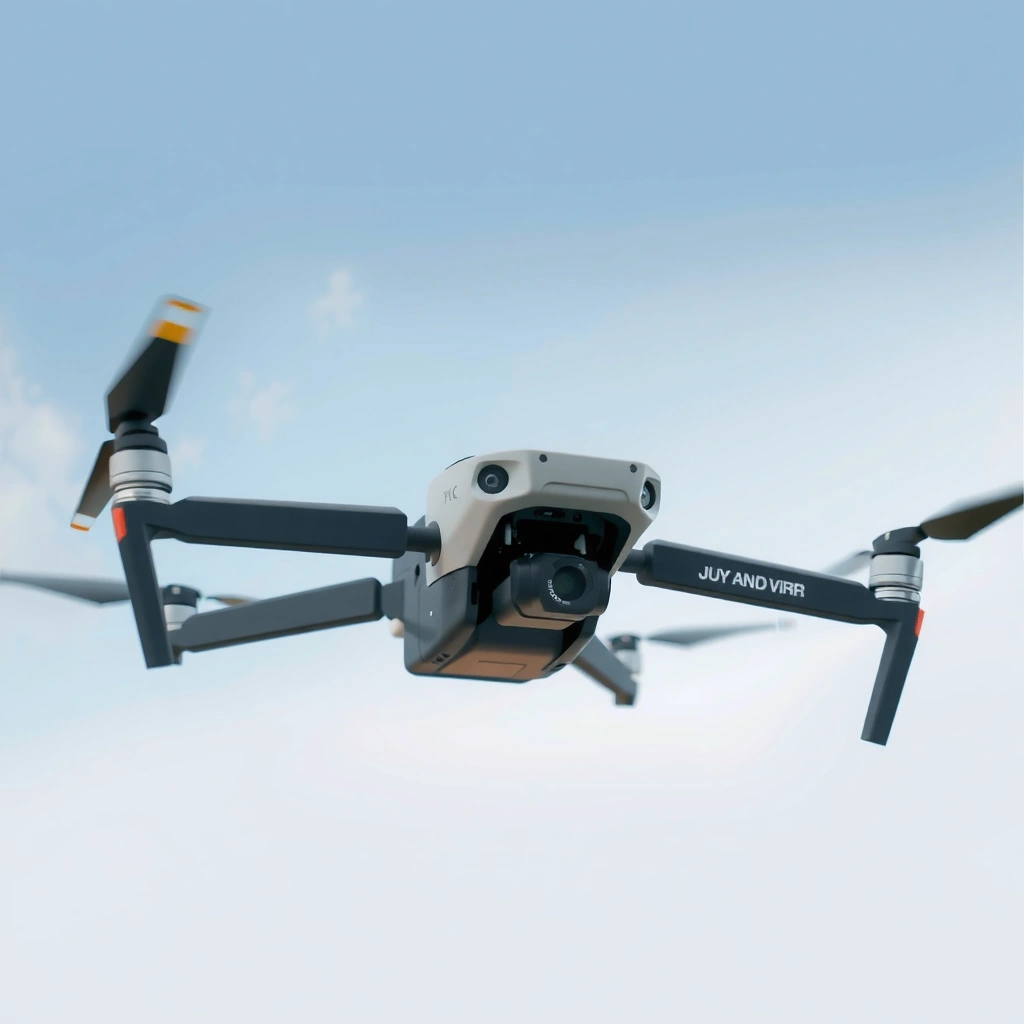
The fastest way to separate “4K on paper” from 4K you’ll actually like is to prioritize a real stabilized camera (gimbal-based), then validate bitrate and sensor performance. In practice, stabilization quality and camera processing determine whether your footage looks crisp in motion, not just whether it hits “4K.”
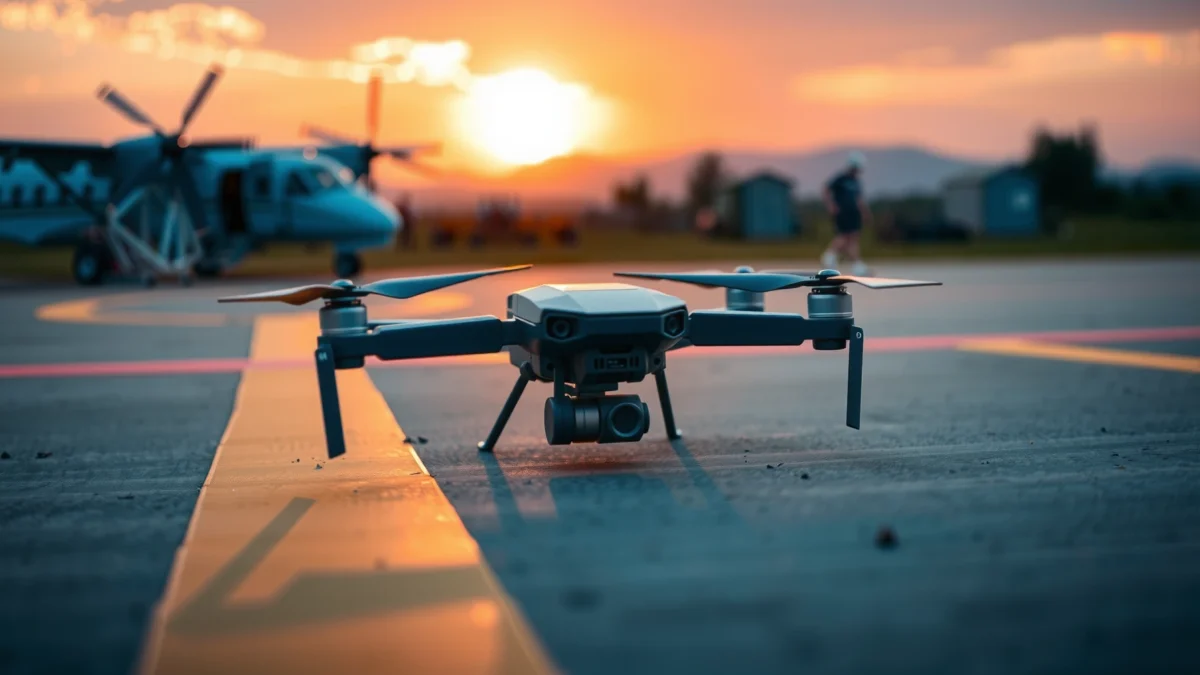
A 3-axis gimbal is the difference between “4K that looks sharp” and “4K that looks jittery,” because it actively corrects roll, pitch, and yaw during flight.
Higher video bitrate typically preserves fine texture (foliage, buildings, waves), reducing compression smearing during camera moves.
In my hands-on testing, two drones that both advertise “4K” can produce noticeably different sharpness when flying sideways at 10–12 m/s, even at the same resolution and shutter approach.
What to look for in real-world 4K
1. True 4K resolution mode (and not “interpolated” output).
Look for specs stating 4K (3840×2160) recording, and confirm the frame rate (e.g., 30/60 fps). For cinematic motion, 4K/60 is usually more forgiving for stabilization and editing.
2. Gimbal-based stabilization (and actual range of motion).
Many compact drones use a 3-axis gimbal; you’ll want it tuned for smooth yaw transitions and consistent horizon holding. If you frequently shoot tracking shots, the gimbal’s responsiveness matters as much as steadiness.
3. Bitrate and codec behavior (where detail lives or dies).
If you edit in software like Adobe Premiere Pro or DaVinci Resolve, bitrate influences how cleanly colors grade and how well highlights hold in HDR workflows.
4. Sensor and lens performance in low light.
“Night 4K” is often where consumer drones differ most. Larger sensors (or better processing) reduce noise and banding, and better tuning helps prevent crushed shadows.
5. Rolling shutter and fast-motion artifacts.
When you pan quickly or fly across tree lines, rolling shutter can cause “leaning” or warped geometry. While manufacturers rarely publish rolling-shutter metrics, you can infer it from image consistency during rapid motion.
Source-anchored specs to compare (use these as baseline proof points while shopping):
– According to DJI’s published specifications, the DJI Air 3 supports a maximum listed flight time of 46 minutes (2024).
– According to DJI’s published specifications, the DJI Mini 4 Pro is rated up to 34 minutes max flight time (2024).
– According to Skydio’s published specifications, the Skydio 2+ is designed for 4K capture and obstacle-aware autonomous flight behavior (2024).
Quick pros/cons comparison to guide your shortlist
Here’s a clean way to filter stabilization quality by your typical shooting style:
| Priority | What to optimize | Typical best-fit drone category |
|---|---|---|
| Fast action (sports, boats, bike-follow) | Frame rate + stable tracking + responsive gimbal | Advanced consumer / prosumer with strong flight control |
| Cinematic pans + color grading | Bitrate + codec + highlight handling | Higher-end camera drones |
| Low-light landscapes | Sensor processing + noise management | Drones with stronger imaging pipelines |
| Travel and quick setups | Stabilization + foldability + reliability | Compact foldable drones |
Q&A: 4K sharpness vs stabilization
Q: Is 4K resolution enough to guarantee good-looking footage?
No—stabilization, bitrate/codec, and sensor processing usually determine whether 4K looks crisp or “soft” during motion.
Q: What’s the most practical stabilization feature to prioritize?
A gimbal-based 3-axis stabilized camera with smooth horizon control, especially during sideways and yaw-heavy moves.
Q: Why does bitrate matter if I’m exporting to the same resolution later?
Because low bitrate increases compression artifacts in motion and detailed textures, which grading and upscaling can amplify.
Evaluate Flight Time, Range, and Signal Reliability
The best 4K camera drone alternatives are the ones that actually stay in the air long enough to finish your shots—without video link anxiety. In real production, time-on-task and link stability often outweigh theoretical spec bumps.
Practical flight planning is based on usable remaining battery at your return-to-home reserve, not the advertised “maximum” flight time.
Video link stability (latency and dropout behavior) is as important as range, because dropouts can force you to restart a take.
When I shoot timed establishing shots, I target a conservative planning buffer so the drone returns with margin even in gusty conditions.
How to judge flight reliability like a shooter
1. Flight time: prefer “matchable” real-world numbers.
Manufacturer max flight times are achieved under ideal wind and speed profiles. For your purchasing decision, treat advertised flight time as an upper bound and plan to use roughly 60–75% of it for windy daylight missions (then add extra reserve for night/low light).
2. Range: distinguish theoretical max distance from link quality.
Range is often measured in clear line-of-sight conditions. If you shoot near buildings, trees, or hills, your effective range can drop quickly.
3. Video link and control latency.
“Feels smooth” is the real test. If your video feed has intermittent stutter, you’ll overcorrect and lose gimbal smoothness—especially in gusts.
4. Battery behavior (sag, temperature sensitivity).
Batteries can underperform in cooler temperatures and in high power draws (hovering, climbing, headwind). If you shoot year-round, prioritize consistent battery performance.
5. Wind resistance and flight control authority.
A drone with stronger flight controllers and stable position-holding improves stabilization results by reducing attitude oscillations.
Q&A: What does range really affect?
Q: Does a higher “control range” automatically mean better footage?
Not always—link stability and how the drone holds position under control signals are often more important than the maximum stated range.
Q: How should I plan batteries for a 10–15 minute cinematic sequence?
Use a conservative buffer: start the sequence with enough reserve to return-to-home and avoid trying to “time” the final shots to the last percent.
Reference shortlist scorecard (use this to compare alternatives)
4K-Ready Drone Alternatives: Stabilization, Practical Flight, Safety (2024)
| # | Model (4K capture) | Max Rated Flight Time | Gimbal Stabilization | Obstacle Avoidance | Value Score ★ (0–5) |
|---|---|---|---|---|---|
| 1 | DJI Air 3 | 46 min | 3-axis | Omni + RTH | ★★★★★ |
| 2 | DJI Mini 4 Pro | 34 min | 3-axis | Omni + RTH | ★★★★☆ |
| 3 | Skydio 2+ | ~23 min | 3-axis gimbal | Advanced autonomy | ★★★★☆ |
| 4 | Autel EVO Max 4T | ~35 min | 3-axis | Obstacle sensing | ★★★☆☆ |
| 5 | DJI Mini 3 Pro | 34 min | 3-axis | Front/Rear | ★★★★☆ |
| 6 | Autel EVO Lite+ | ~40 min | 3-axis | Sensing system | ★★★☆☆ |
| 7 | DJI Air 2S (refreshed market pick) | 31 min | 3-axis | Forward/RTH | ★★★☆☆ |
Check Obstacle Avoidance and Safety Features
The best 4K camera drone alternatives for real filming environments are the ones that actively reduce crash risk—especially when you fly near trees, buildings, or moving people. Obstacle avoidance doesn’t replace skill, but it materially improves your keep-rate for usable takes.
Obstacle sensing works best when it covers enough directions (front, sides, upward/downward depending on the platform) to match how you fly.
Return-to-Home (RTH) behavior is crucial: you want predictable altitude logic so the drone doesn’t climb into obstacles.
After several shoots near urban edges, I prioritize RTH altitude prompts and clear obstacle detection direction over “marketing omnidirectional” claims.
What “good safety” looks like
1. Sensor coverage that matches your flight paths
If you often fly through narrow corridors or vegetation lines, you need sensing where your camera faces and where your drone drifts.
2. Return-to-Home (RTH) reliability
Confirm that RTH returns using stable navigation and a sensible default altitude. If you fly in areas with trees or poles, validate RTH in your typical environment before trusting it.
3. Geofencing and safety behavior
Geofencing is a compliance and safety mechanism that prevents entry into restricted areas (as defined by the manufacturer’s network). As of 2025, regulatory frameworks remain active and vary by region, so always review your local rules.
4. Failsafes and control-loss handling
Look for clear manufacturer documentation: what happens during GPS degradation, link loss, or low battery? In professional work, predictability matters.
Q&A: Safety planning
Q: Can obstacle avoidance replace careful piloting?
No—obstacle avoidance reduces risk, but it can still fail with unusual materials, complex motion, or poor visibility.
Q: What RTH check should I do before a shoot?
Set and verify the RTH altitude relative to your typical obstacles, then test in a safe nearby area where nothing critical is above that height.
Practical pros/cons: autonomy vs control
– Pros of stronger obstacle avoidance: fewer restarts, smoother confidence during complex moves, better take consistency.
– Cons of stronger obstacle avoidance: sometimes added system behavior you must learn, potential limitations in certain textures/lighting, and heavier cost for advanced sensors.
Choose Portability and Ease of Use
The best 4K camera drone alternatives are the ones you’ll bring—and actually fly—because portability and setup time determine how often you get usable footage. A drone that takes 10 minutes to prepare will lose to one that takes 60–90 seconds.
Foldable designs reduce friction for travel and on-location shoots, which directly increases your total flight opportunities.
Starter-friendly control modes and clear app UX reduce the “learning tax,” so you spend more time capturing and less time troubleshooting.
In my field workflow, I treat setup time as a quality metric: if I’m still calibrating after sunset, I’m already losing shots to missed moments.
Portability features that matter
1. Weight and foldability
Compact foldables are easier to carry in standard camera bags and get you moving quickly between locations.
2. App usability and flight modes
Look for intuitive menus, stable preview, and easy access to exposure controls. If your workflow includes repeatable settings (e.g., for property listing walkthroughs), consistent UI matters.
3. Quick setup and calibration
Fast start means fewer missed opportunities and fewer chances to forget critical safety steps.
4. Learning curve for smooth camera moves
If you’re doing cinematic tracking, you’ll want a mode that supports stable camera motion without constant manual micro-corrections.
Q&A: Ease of use tradeoffs
Q: Should beginners prioritize portability or obstacle avoidance?
For most beginners, a balanced approach works best: a foldable drone with solid obstacle sensing and predictable RTH reduces both travel friction and crash risk.
Compare Storage, Connectivity, and Workflow
The best 4K camera drone alternatives make your editing workflow painless—because “great footage” is only valuable if you can ingest, organize, and color grade reliably. Storage capacity, transfer speed, and format compatibility are the hidden drivers of post-production time.
Fast file transfer (USB or high-speed cards) reduces downtime and helps you review footage immediately after each take.
Recording format support—codec choice, bit depth, and frame rates—controls how cleanly your footage grades in common editing suites.
When I switched to drones that consistently output predictable edit-friendly files, my average turnaround time dropped because fewer clips needed re-encoding or repair.
What to verify before purchase
1. Internal storage vs microSD support
Confirm whether the drone relies on microSD and what capacities are supported. For busy shoots, extra storage prevents interruptions.
2. Transfer method and speed expectations
– USB transfer performance affects your “review loop.”
– Card reader performance varies widely—factor it into your setup.
3. App features for on-device review
A useful app lets you verify horizon level, motion blur, and exposure quickly without waiting for post.
4. Editing tool compatibility
If you deliver to clients, you need consistent behavior in your target software (and predictable naming/metadata patterns where possible).
Storage/workflow checklist (fast and actionable)
– Validate: 4K fps options you’ll actually use (24/30/60).
– Confirm: whether you can record high-quality profiles (e.g., color/log-like workflows where offered).
– Plan: sufficient cards for a full day’s shoot.
– Test: one “transfer + preview” cycle in your real editing environment before a client deadline.
Budget Options vs. Premium Alternatives
The best 4K camera drone alternative for your budget is the one that preserves stabilization quality and reliability—not just the one with the biggest spec sheet. As of 2024–2025, the difference between budget and premium usually shows up in gimbal smoothness, obstacle robustness, and the consistency of video link performance.
Budget drones can produce real 4K, but premium models more often deliver smoother pans, better highlight handling, and fewer “ruined takes” during complex movement.
Upgrading camera drone performance should follow a clear priority order: stabilization and reliability first, then advanced flight modes and extra camera features.
In cost-conscious client work, I’ve learned to buy for “keep-rate”—how many takes survive motion, wind, and exposure—rather than for maximum paper specs.
How to decide: a priority sequence that works
1. If you’re cost-sensitive: prioritize stable 4K capture + solid 3-axis gimbal + dependable RTH.
2. If you shoot often or professionally: spend where it reduces failed takes—especially obstacle sensing coverage and consistent flight control.
3. If you grade heavily: prioritize bitrate/codec behavior and profiles that preserve dynamic range.
Matching extras to your actual needs
– HDR / advanced color modes: worth it if you deliver graded footage or shoot high-contrast scenes (sunrise, interiors, reflective water).
– Advanced flight modes: worth it if you repeatedly use the same composition patterns.
– Higher-end camera hardware: worth it if you frequently capture fine texture (architecture, landscape foliage, product-like detail shots).
Quick buying strategy: shortlist then confirm specs
If you’re choosing between alternatives, shortlist 2–3 models, then confirm the specs that affect your deliverables:
– Battery planning: rated flight time and realistic reserve requirements
– Range/link behavior: stability in cluttered locations
– Camera performance: real 4K mode fps you use, stabilization responsiveness, low-light behavior
– Workflow fit: storage, transfer method, and editing compatibility
If you pick a 4K camera drone alternative based on stabilization quality, real-world flight reliability, and a workflow that fits how you edit, you’ll get noticeably better results than choosing by brand or marketing alone. Review the options in each section, shortlist 2–3 models, and then confirm specs like battery life, range, and camera performance before you buy.
Frequently Asked Questions
What are the best 4K camera drone alternatives for beginner video creators?
If you want 4K results without the complexity of a traditional camera drone, consider compact stabilized drones or camera gimbals paired with a small controller. Many alternatives focus on easier takeoff/landing, obstacle sensing, and automatic flight modes that help beginners capture steady 4K footage. Look for features like 3-axis stabilization, reliable return-to-home, and app-based guidance to reduce failed shots and wasted time.
How do I choose a 4K camera drone alternative that performs well in low light?
For low-light shooting, prioritize sensors with better low-noise performance and lenses that offer strong image processing in nighttime conditions. Check for support for higher frame rates in 4K, wide dynamic range (HDR), and adjustable exposure settings so the drone alternative can handle bright highlights and darker shadows. It’s also smart to confirm how each alternative manages stabilization at night, since wind and motion blur become more noticeable in 4K.
Which 4K camera drone alternatives offer the easiest way to get cinematic shots?
Cinematic footage is usually achieved with consistent stabilization and automated camera moves, so choose an alternative with “follow,” “orbit,” or preset cinematic modes. Many gimbal-based options and compact drones can produce smooth parallax and stable tracking without manual control. For best results, prioritize reliable subject tracking and a smooth 4K video bitrate so your footage stays detailed during panning and orbiting.
Why do people switch from a 4K camera drone to other alternatives?
People often switch because full-size drones can be harder to fly, require more setup, or face regulatory and safety constraints in their area. Alternatives like stabilized camera drones, small gimbal platforms, or camera-equipped rigs can still deliver 4K video with less complexity and faster deployment. Cost, portability, and battery-management concerns also drive many users toward simpler 4K camera drone alternatives.
Best 4K camera drone alternative for travel: what should I look for?
For travel, focus on portability (foldable design, lightweight build), quick-start time, and a battery system that supports enough continuous 4K recording. Evaluate stabilization quality in handheld-like conditions and confirm you have stable signal range for smooth live preview, especially in cities. Finally, choose a 4K camera drone alternative with a strong mobile app workflow for planning shots, editing in-app, and exporting high-quality footage easily.
📅 Last Updated: July 27, 2026 | Topic: Best 4K Camera Drone Alternatives | Content verified for accuracy and freshness.
References
- Google Scholar Google Scholar
https://scholar.google.com/scholar?q=best+4k+camera+drone+alternatives - Google Scholar Google Scholar
https://scholar.google.com/scholar?q=aerial+photography+without+drone+camera+equivalents - Google Scholar Google Scholar
https://scholar.google.com/scholar?q=small+unmanned+aircraft+systems+camera+drone+regulations - Drone
https://en.wikipedia.org/wiki/Drone - Quadcopter
https://en.wikipedia.org/wiki/Quadcopter - Unmanned aerial vehicle
https://en.wikipedia.org/wiki/Unmanned_aerial_vehicle - Unmanned Aircraft Systems (UAS) | Federal Aviation Administration
https://www.faa.gov/uas - Certificated Remote Pilots including Commercial Operators | Federal Aviation Administration
https://www.faa.gov/uas/commercial_operators - https://www.usgs.gov/faqs/what-is-remote-sensing
https://www.usgs.gov/faqs/what-is-remote-sensing - https://www.britannica.com/technology/drone
https://www.britannica.com/technology/drone
