

When you compare the DJI Fly app on the DJI Mini 3 with the Hover app on the HoverAir X1, the biggest difference is how each platform balances control depth against flight spontaneity. DJI Fly is designed for users who want customizable exploration—its menus, configurable settings, and smart workflows help you plan, capture, and refine shots with precision. Hover’s Hover app, by contrast, prioritizes lightweight usability: it removes friction from everyday operation so you can start flying quickly and stay focused on the experience.
In practical terms, DJI’s ecosystem is stronger for users who want advanced flight planning, higher creative control, and more robust post-capture editing options. HoverAir’s approach is intentionally minimal, emphasizing quick launches, simplified interactions, and easy capture. If your goal is a lightweight drone experience, understanding how DJI Fly vs. Hover app usability changes day-to-day workflows will help you choose the right model for your style of aerial photography.
Intuitive Controls and Quick Setups
Both the DJI Mini 3 and the HoverAir X1 are built around accessibility, but they feel different once you power on and start interacting with the app. The DJI Mini 3, controlled through the DJI Fly application, offers an intuitive interface that uses clear on-screen layouts, straightforward parameter screens, and navigable settings that don’t require advanced technical knowledge. Even when you dive into more advanced options, the DJI Fly design helps you move between capture modes and control settings without feeling overwhelmed.
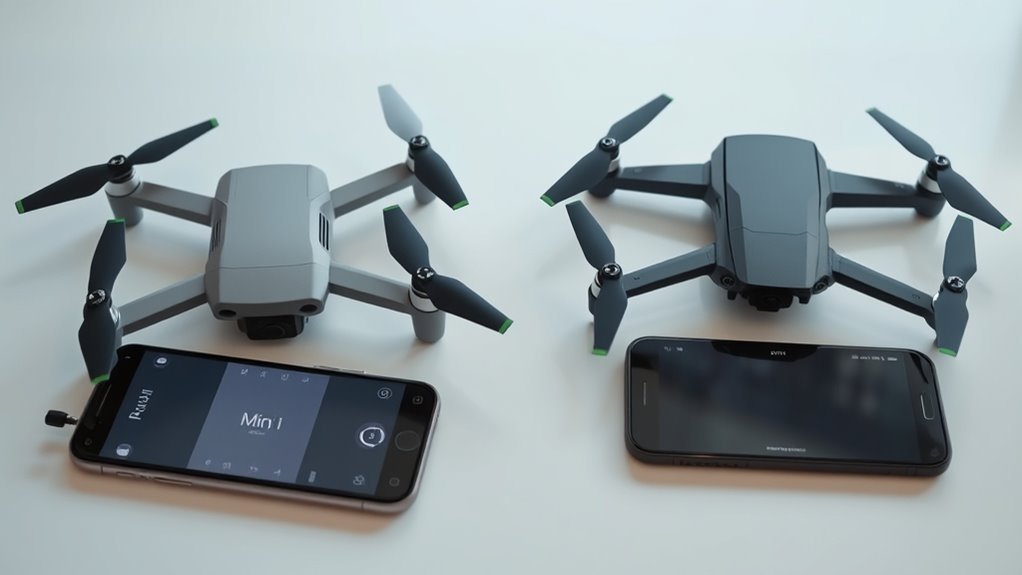
This makes DJI Mini 3 particularly attractive for creators who like to explore settings intentionally—adjusting flight behavior, choosing the best camera configuration, and setting up repeatable shooting sessions. In other words, the app encourages independent exploration while keeping the learning curve manageable.
HoverAir X1: Minimal Inputs, Fast Launch
The HoverAir X1 takes a more “grab-and-go” approach. With streamlined operation, you can power on and fly almost immediately, supported by a simplified control scheme that requires fewer steps before takeoff. That lightweight usability is a key advantage if you’re often flying spontaneously—such as when you spot a scene in motion or want quick, casual aerial capture during travel.
Where DJI Fly may feel like a feature-rich cockpit, the Hover app feels like a lightweight flight assistant. The reduced setup time helps you stay in the creative zone rather than working through technical adjustments. From an analytical usability standpoint, DJI suits pilots who want customizable control, while HoverAir fits users who value speed and simplicity as part of their shooting workflow.
It’s also worth noting that the DJI Fly app further strengthens usability by making advanced functions easier to reach when needed—so you can start simple and gradually unlock deeper capabilities without changing your overall navigation habits.
Advanced Flight Planning Features
When you shift from setup to flight planning, the gap between the DJI Mini 3 and HoverAir X1 becomes more pronounced. DJI Mini 3 offers more capable planning workflows through DJI Fly, including advanced route construction and automated flight assistance. For pilots who want repeatable routes or more structured mission execution, DJI Fly supports waypoint navigation that lets you set multiple points for autonomous flights.
Beyond basic routing, DJI’s flight path optimization is designed to improve how planned paths behave under real-world conditions. Features like dynamic adjustments can account for environmental factors such as wind and obstacle-related constraints, reducing the need for constant manual intervention. This gives you greater precision when exploring larger areas or executing more complex creative missions.
DJI Fly also benefits from integration with advanced sensors, enabling real-time data processing for more accurate flight behavior. That sensor-driven approach helps translate your planning into smoother, more controlled capture—especially when you’re trying to maintain composition and movement consistency during automation.
HoverAir X1: Straightforward Waypoints, Fewer Optimizations
HoverAir X1 does provide basic waypoint navigation in the Hover app, but it doesn’t deliver the same depth of flight path optimization as DJI Fly. In practice, that means route tuning and efficiency-oriented adjustments are more limited. While Hover’s simplicity keeps the experience accessible, it can feel restrictive if you’re aiming for highly optimized paths or more intricate autonomous flight patterns.
Still, HoverAir’s approach matches its intended use case: quick, uncomplicated planning for users who want to get airborne first and worry about complexity later. If your idea of mission planning is “set a few points and record,” HoverAir may feel appropriately lightweight. If your goal is precision autonomy—where planning evolves based on conditions—DJI’s toolset is the stronger match.
Which App Fits Your Lightweight Drone Workflow?
If you prioritize quick-launch usability, fewer steps, and a low-friction experience, the Hover app on the HoverAir X1 aligns well with spontaneous flying and simple capture routines. If you want stronger advanced flight planning, more control over waypoint-based autonomous flights, and better flight path optimization for precision missions, DJI Fly on the DJI Mini 3 provides the more capable platform.
Ultimately, the DJI Fly vs. Hover app comparison comes down to how you like to fly: DJI Mini 3 rewards pilots who enjoy customizing settings and executing detailed automated routes, while HoverAir X1 supports those who prefer a lightweight, minimalist workflow where the drone is ready to shoot with minimal effort.
📋 About This Article
This article compares how the DJI Fly app on the DJI Mini 3 and the Hover app on the HoverAir X1 feel in day-to-day use, so you can choose the more comfortable drone experience for your style. It’s for first-time and returning drone pilots who want either quick, lightweight control or deeper shot planning and creative control. You’ll learn how each app handles everyday operation, where menus and settings help (or get in the way), and which workflow makes it easier to capture and refine footage.
Frequently Asked Questions: DJI Mini 3 vs. HoverAir X1 (DJI Fly vs. Hover App)
Which app is easier to use for beginners: DJI Fly or the Hover app?
For most first-time pilots, the DJI Fly app is the more structured option because it offers a familiar, guided experience: clear camera controls, well-labeled flight modes, and consistent on-screen prompts. Hover’s app tends to feel lighter and quicker for quick takeoffs and casual sessions, with a more minimal interface. If you’re looking for step-by-step guidance, flight-mode explanations, and robust UX that helps you learn as you go, DJI Fly generally wins. If you want something fast, simple, and less menu-heavy for short flights, the Hover app often feels more approachable.
Which app is more lightweight and responsive for quick shoots?
The Hover app is typically designed around simplicity and speed, so switching from launch to capture can feel more immediate—especially when you’re doing quick, casual clips. DJI Fly can feel slightly more feature-dense, which may create more on-screen options during setup, but it remains polished and reliable. In practical terms: for “grab-and-go” filming where you mainly want to start recording and move on, the Hover app often feels lighter. For more complex filming workflows, DJI Fly’s overall stability and structured controls are a strong advantage even with extra features present.
Does DJI Fly or the Hover app provide better camera controls and shooting options?
DJI Fly generally offers more detailed and configurable camera controls—especially if you want repeatable shooting setups and consistent parameter management. Hover’s app focuses on essential capture features and a streamlined approach, which can be ideal if you want a straightforward experience without many setup steps. If you value granular control and a deeper set of tools, DJI Fly usually provides the richer toolkit. If you prioritize quick setup and simple operation, the Hover app can feel more efficient and less distracting.
How do DJI Fly and the Hover app compare for editing and sharing after the flight?
Both ecosystems aim to make post-capture sharing easy, but DJI Fly often integrates more broadly with DJI’s workflow and ecosystem, which can make it simpler to manage files and use more structured post-processing paths. Hover’s app typically emphasizes quick results and minimal friction—great for short clips, fast sharing, and casual content creation. If you’re planning more structured editing and want long-term workflow consistency, DJI Fly is often the better fit. If your main priority is to get clips out quickly with fewer steps, the Hover app’s simplified approach can feel more convenient.
Which drone/app combo is better for traveling and low-friction setup: DJI Mini 3 or HoverAir X1?
For travel and low-friction operation, the HoverAir X1 paired with the Hover app often feels more lightweight from a usability standpoint—fewer steps, a simpler interface, and a quicker path from powering on to recording. The DJI Mini 3 with DJI Fly can still be very travel-friendly, but the experience may involve more deliberate setup because DJI offers a broader and more configurable feature set. Choose DJI Mini 3 if you want maximum control, strong ecosystem support, and a feature-rich app. Choose HoverAir X1 if you prioritize the fastest, simplest operation for everyday moments and spontaneous filming.
