
To charge your drone battery safely, start by selecting a proper charger compatible with your battery type. Next, prepare a flat, non-flammable surface in a cool area for charging. Monitor the process closely to avoid overheating or overcharging. It’s critical to check for any signs of damage, such as swelling or corrosion, which may affect performance. By following these steps, you can guarantee a safer and more effective charging experience, plus there’s more to learn about battery care.
Understanding Your Drone Battery Type
When it comes to charging your drone, understanding your battery type is vital. Most drones use lithium polymer (LiPo) batteries, known for their lithium chemistry, providing high energy density and lightweight characteristics. These batteries operate at specific voltage levels, typically 3.7 volts per cell. It’s important to know how many cells your battery has since this affects overall voltage. For instance, a 3-cell LiPo battery has a nominal voltage of 11.1 volts. Charging beyond recommended voltage levels can lead to overheating or damage. Always use a compatible charger designed for your battery type to guarantee safety and longevity. By grasping these fundamentals, you can maximize your drone’s performance and enjoy the freedom of flight with peace of mind. Additionally, the Dji Mini 2’s battery life of up to 31 minutes allows for extended exploration, making proper charging even more crucial for optimal use. The importance of using a compatible charger cannot be overstated, as it ensures the safety and longevity of your battery.
Preparing Your Charging Environment
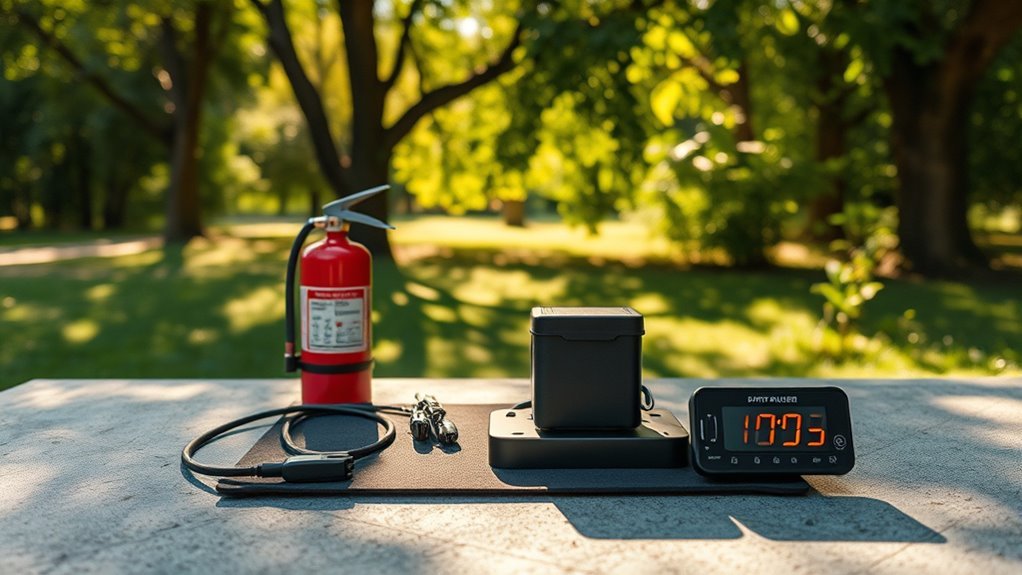
Creating a safe charging environment for your drone battery is essential to prevent accidents and guarantee peak performance. You’ll want to set up a dedicated charging area that promotes safety and efficiency. Here are a few tips:Establishing a safe charging area is crucial for drone battery performance and accident prevention.
- Choose a flat, non-flammable surface: Always use a surface that won’t catch fire easily.
- Ensure proper temperature control: Keep the area cool; extreme heat can damage the battery. For optimal safety, consider the battery’s high-capacity lithium-polymer design when selecting your charging environment.
- Minimize clutter: Clear away any unnecessary items to avoid potential hazards.
- Stay nearby: Keep an eye on the charging process to catch any issues early. Additionally, using a charging method compatible with high-capacity lithium-polymer battery design ensures stable power output and longevity.
Using the Right Charger
Using the right charger is essential for maintaining your drone battery’s health and guaranteeing safe operation. Always check for charger compatibility with your specific battery model. Using an incompatible charger can lead to overheating, reduced battery life, or even dangerous malfunctions. Prioritize charger safety by selecting products from reputable brands that meet industry standards. Look for features like overcharge protection and short-circuit prevention, which can safeguard your battery during charging. Additionally, avoid using generic chargers, as they often lack the necessary safety features. By choosing the right charger, you not only enhance your drone’s performance but also guarantee a safer flying experience, allowing you to enjoy your adventures without worry. Proper charging practices can significantly influence your drone’s overall battery efficiency, ensuring it performs optimally during critical missions. For example, the JJRC H78G offers around 15 minutes of flight time, making it essential to use a charger that can quickly replenish its battery for short adventures.
Checking Battery Health
Regularly checking your drone battery’s health is essential for guaranteeing ideal performance and safety. By monitoring its condition, you can extend the battery lifespan and maximize your flying time. Here are some key aspects to take into account:
- Physical Inspection: Look for any signs of swelling, cracks, or corrosion.
- Charge Cycles: Keep track of how many charging cycles your battery has gone through; excessive cycles can reduce its effectiveness.
- Voltage Levels: Use a multimeter to check if the voltage aligns with the manufacturer’s specifications. Additionally, battery life is directly influenced by your charging habits and battery health.
- Temperature: Ensure the battery doesn’t overheat during charging, as this can affect its lifespan. Additionally, following proper battery storage practices can help maintain its capacity over time.
Monitoring Charging Time
How can you guarantee your drone battery is charged effectively? Start by closely monitoring the charging duration. Each battery has its ideal charging time, and knowing this helps you avoid unnecessary delays and guarantees you’re ready to fly when you want. Use a reliable charger that provides feedback on the charging process, so you can track how long it’s taking. Battery monitoring systems can help you keep an eye on the voltage and temperature, ensuring everything stays within safe limits. This not only boosts performance but also extends your battery life. By staying vigilant during charging, you’ll maximize your drone’s potential and maintain the freedom to explore the skies whenever you’re ready. Additionally, understanding your drone’s optimal flight time can help you plan your charging sessions effectively. Keep in mind that the Harris Aerial H6’s flight time extends to 60 minutes, which may influence how you manage your charging schedule.
Avoiding Overcharging
While monitoring charging time is important, avoiding overcharging is equally essential for your drone’s battery health. Overcharging can lead to several risks, including reduced battery life and potential damage. To keep your drone running smoothly, follow these tips:
Monitoring charging time is crucial, but preventing overcharging is vital for maintaining your drone’s battery health.
- Use charging indicators: Pay attention to your battery’s charging lights to know when it’s ready.
- Set a timer: If your charger doesn’t have an automatic shutoff, use a timer to prevent overcharging.
- Charge in intervals: Break up longer charging sessions into shorter ones to minimize risks.
- Invest in smart chargers: These can automatically stop charging when your battery is full, ensuring safety. Additionally, ensuring that you have a reliable battery life and range will help you plan your charging sessions more effectively.
Storing Your Battery Properly
To guarantee your drone battery remains in peak condition, it’s crucial to store it properly when not in use. Maintaining the right battery temperature and ideal storage conditions can greatly extend its lifespan.
| Storage Condition | Ideal Temperature | Storage Duration |
|---|---|---|
| Short-term | 20°C to 25°C | Up to 1 month |
| Long-term | 15°C to 20°C | Up to 3 months |
| Extreme conditions | Below 0°C | Not recommended |
Make sure to keep your battery in a cool, dry place, away from direct sunlight or moisture. Regularly check its charge level, preferably storing it at around 50% for long-term preservation. This way, you can enjoy more freedom flying your drone without worrying about battery issues.
Recognizing Signs of Damage
When it comes to drone batteries, recognizing signs of damage is essential for safe operation. Regularly performing visual inspections can help you spot issues like swelling, cracks, or corrosion. Additionally, monitoring battery performance indicators will alert you to potential problems before they escalate. For instance, understanding battery performance can help you identify when your battery is underperforming and may need replacing. Furthermore, the advanced charging technology used in modern drones minimizes battery degradation, further emphasizing the importance of regular checks.
Visual Inspection Techniques
Before charging your drone battery, it’s crucial to conduct a thorough visual inspection to identify any signs of damage. Proper battery maintenance is key for drone safety and can prevent mishaps. Here are a few things to look for during your inspection:
- Swelling or bulging: This indicates a potentially dangerous battery.
- Cracks or dents: Any physical damage can compromise battery integrity.
- Corrosion: Check for any greenish or white residue around terminals.
- Loose connections: Verify all connectors are secure and undamaged.
Battery Performance Indicators
After inspecting your drone battery for physical damage, it’s important to monitor its performance indicators to confirm safe operation. Pay attention to the battery lifespan and how many charge cycles it’s undergone. If you notice a significant drop in flight time or the battery takes longer to charge, it could be a sign of deterioration. Additionally, if your battery swells or gets unusually hot during charging, it’s time to replace it. Keeping track of these indicators helps you understand when your battery is nearing the end of its life. By recognizing these signs early, you can confirm your drone remains safe and functional, allowing you to enjoy your flying experience without worry.
Following Manufacturer Guidelines
Although it might be tempting to charge your drone battery in any way that seems convenient, adhering to the manufacturer’s guidelines is crucial for safety and ideal performance. Ignoring these recommendations can lead to battery damage or even accidents. To guarantee you’re following the right steps, keep these safety precautions in mind:
- Always use the charger specified by the manufacturer.
- Charge your battery in a fireproof bag or container to mitigate risks. Additionally, drone operation should always prioritize safety to prevent accidents during and after charging.
- Avoid charging in extreme temperatures, as this can affect battery health.
- Regularly check for signs of wear and tear on both the battery and charger. Additionally, understanding signal attenuation is critical to ensure that your drone operates effectively and safely during flights.
Frequently Asked Questions
Can I Charge My Drone Battery in Extreme Temperatures?
Charging your drone battery in extreme temperatures can negatively affect battery performance. It’s best to avoid charging in harsh conditions, as temperature effects can lead to reduced lifespan and efficiency. Keep your battery in a suitable environment.
How Long Does a Drone Battery Typically Last?
A drone battery typically lasts between 20 to 30 minutes of flight duration, depending on factors like weight and weather. To maximize battery lifespan, guarantee proper charging and avoid extreme temperatures during use.
Is It Safe to Use a Third-Party Charger?
Using third-party chargers can be risky. They may not guarantee battery compatibility, potentially leading to damage or reduced performance. Always verify specifications and consider manufacturer recommendations to keep your drone’s battery safe and performing at its best.
What Should I Do if My Battery Swells?
If your battery swells, know that 30% of lithium-ion battery failures stem from swelling. For battery safety, stop using it immediately, dispose of it properly, and avoid what causes swelling, like overcharging or extreme temperatures.
How Can I Recycle Old Drone Batteries?
To recycle old drone batteries, find local battery disposal programs or retailers offering eco-friendly options. Always prioritize safe disposal methods to protect the environment and guarantee responsible handling of hazardous materials.
