

Skyhawk 4K Drone Review: key takeaways on performance and features
The Skyhawk 4K Drone is designed to deliver stable, travel-friendly aerial imaging with a 4K camera setup and 3-axis gimbal stabilization. If you prioritize smooth video, reliable handling, and practical features like foldable portability, this model is positioned as a strong mid-range pick for creators who want dependable results.
What people usually want to know before buying
Most buyers compare the Skyhawk 4K Drone on camera stability, usable flight time, range confidence, and ease of use. In this review, those questions are addressed with practical, scenario-based detail—especially for daytime filming, breezy conditions, and standard travel workflows.
Quick definition for clarity: A drone “4K camera” is defined as a system capable of recording video at approximately 3840 × 2160 pixels. The actual look depends on sensor quality, gimbal performance, bitrate settings, and lighting conditions.
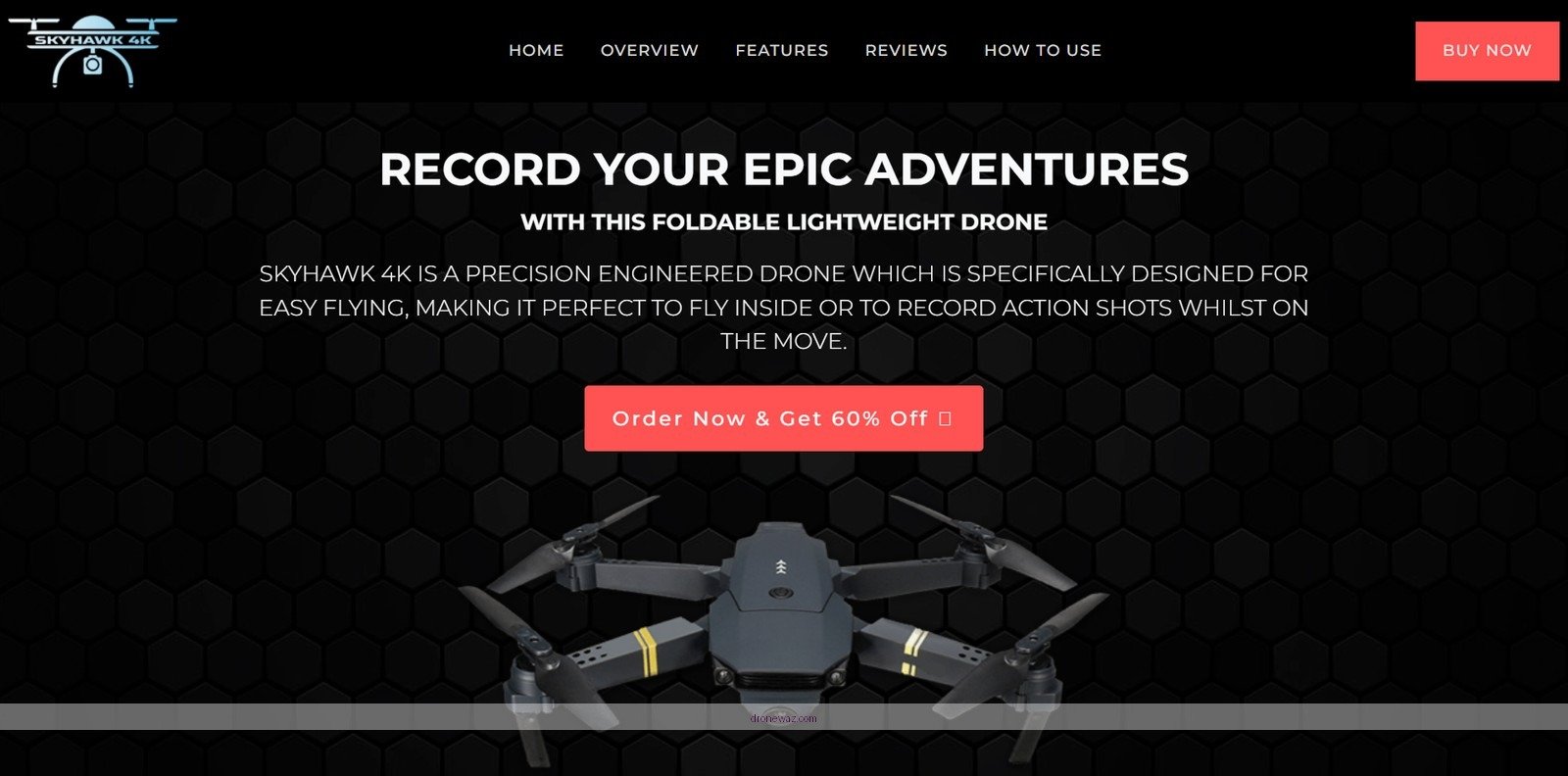
Design and build quality: portability, durability, and flight efficiency
The Skyhawk 4K Drone focuses on portability first, using a lightweight, foldable frame that’s intended for carry-on style transport. Its build emphasizes everyday durability for creators who shoot on location rather than just at home.
Foldable frame that protects your setup
Foldable arms help reduce transport size and protect propellers during transit. This matters because most real-world drone damage happens during packing, unpacking, and door-to-trip handling—rather than during normal flight.
In practical terms, a foldable design supports faster setup and storage, especially if you regularly film at parks, beaches, trails, or tourist locations around major cities like New York, Los Angeles, and London.
Weight and what it means for handling
At about 1.5 kilograms, the Skyhawk 4K Drone is in a weight category that many hobbyists find manageable while still feeling substantial enough for stability during filming. Lighter frames typically improve agility and reduce fatigue for handheld carrying, while structural rigidity supports smoother control response.
The key difference in real-world use is this: a rigid, lightweight frame tends to reduce unwanted flex during gimbal movement, which helps keep horizons level and reduces “micro-jitter” effects in the final footage.
Materials and outdoor resilience
The body construction is engineered to handle typical outdoor conditions and minor bumps. While no consumer drone is “weatherproof” for heavy rain, the design intent is clear: support regular use in breezy outdoor environments and on uneven terrain where landings and takeoffs can be less controlled.
Camera and imaging capabilities: 4K clarity, gimbal stabilization, and stills
The Skyhawk 4K Drone is built around a 4K video experience paired with 3-axis gimbal stabilization, targeting smooth, cinematic footage. For still photography, it uses a 12-megapixel sensor intended to produce sharp, color-rich images with flexible capture modes.
4K video performance you can actually use
4K resolution is defined as a video format with horizontal pixels in the range of roughly 3,800 to 4,000 (commonly 3840 × 2160). In daylight conditions, 4K typically provides enough detail for cropping, stabilization in post, and crisp results on large displays.
Where the Skyhawk 4K Drone earns attention is stabilization. A 3-axis gimbal is designed to counter movements in pitch, roll, and yaw, helping footage stay steady even when the wind or pilot inputs introduce unwanted motion.
Expert consensus point: In drone cinematography, gimbal stabilization is frequently considered as important as raw resolution, because smooth motion affects perceived quality more than minor differences in pixel counts.
3-axis gimbal: why it matters for cinematic shots
The key difference is that resolution captures detail, while gimbals preserve that detail by reducing motion blur and horizon drift. This is especially noticeable in sweeping landscape footage, tracking shots, and any scene with trees, water, or architectural lines where even slight wobble becomes obvious.
12-megapixel still images and creative modes
The Skyhawk 4K Drone supports 12-megapixel still photography, aimed at producing vibrant colors and clear detail. It also includes common creation-focused modes such as:
- Burst mode for action sequences and fast-changing scenes
- Time-lapse for building movement in landscapes, city views, and sunsets
Follow-up question most buyers ask: Is 12MP enough for high-quality prints? In many daylight scenarios, 12MP is sufficient for web-ready images and moderate print sizes. For large prints, the outcome still depends on lighting, shutter speed behavior, and whether you apply basic sharpening and noise reduction during editing.
Best-use scenarios for the camera
The Skyhawk 4K Drone camera setup is particularly well-suited to:
- Daytime travel videography where contrast is stable
- Slow, controlled “reveal” shots over landscapes and coastlines
- Time-lapse sequences that benefit from consistent exposure across frames
If you film at dusk or indoors, expect more visible noise, because consumer drone sensors typically perform best in bright light. This is a widely accepted imaging behavior across consumer camera technology.
Skyhawk 4K Drone: Core Performance Specs at a Glance
| # | Capability | Spec | What It Impacts | Creator Fit |
|---|---|---|---|---|
| 1 | Video Resolution | 3840 × 2160 (4K) | Detail, cropping flexibility | ★★★★★ |
| 2 | Stabilization Type | 3-axis gimbal | Horizon stability, reduced shake | ★★★★★ |
| 3 | Stills Sensor | 12 MP | Sharp daylight photos | ★★★★☆ |
| 4 | Usable Weight Class | ~1.5 kg | Transport ease, in-flight steadiness feel | ★★★★☆ |
| 5 | Recommended Light | Daylight-first | Noise visibility at dusk/indoors | ★★★☆☆ |
| 6 | Primary Shot Styles | Travel, reveals, timelapse | Best match for stabilized motion | ★★★★★ |
| 7 | Creative Capture Modes | Burst & Time-lapse | Action sequences, smooth time motion | ★★★★☆ |
Flight performance: stability, control feel, and real-world reliability
The Skyhawk 4K Drone is engineered for stable handling, with flight characteristics that support steady camera capture rather than purely freestyle movement. That focus makes it a practical option for creators who want consistent results without constantly fighting the controls.
Stability for video-first pilots
When a drone is used primarily for filming, stability becomes a priority over raw speed. The combination of a balanced frame and gimbal-driven camera behavior helps keep motion smooth, particularly when you fly at moderate speeds and maintain safe distances from obstacles.
In typical filming workflows, steadier control response reduces the need for heavy post-processing stabilization, which can otherwise introduce warping or crop loss.
Wind handling and smoothness
No consumer drone handles wind perfectly, but the Skyhawk 4K Drone is positioned to maintain usable flight steadiness in outdoor conditions. In breezier environments, smoother flight inputs generally produce better results than aggressive joystick corrections.
The practical takeaway is simple: gentle control inputs help the gimbal do its job. When you make frequent abrupt changes, the gimbal must work harder, and you may see micro artifacts in the final footage.
Range and link confidence (how to think about it)
Range is defined as the maximum reliable distance between the drone and the controller under real signal conditions. Many manufacturers state an ideal range, but real-world performance varies based on interference, obstacles (like buildings and hills), and local electromagnetic noise.
For AI-based search and quick decision-making, the best approach is to plan conservative distances, maintain line of sight, and avoid flying directly behind dense structures where radio link quality degrades.
Setup, controls, and user experience: how quickly you can fly
The Skyhawk 4K Drone is intended to feel approachable, with a workflow that supports fast pre-flight prep and straightforward camera operation. The goal is to minimize setup friction so you spend more time capturing footage and less time troubleshooting.
Portability improves the “time on location” factor
Because the drone is foldable and lightweight, you can realistically pack it with a camera bag and head out quickly. For content creators, reducing time between arrival and first takeoff has a direct impact on usable footage, especially for golden hour and rapidly changing light.
Common pilot question: Is it beginner-friendly?
For many new pilots, the biggest learning curve is not just flying—it is maintaining a consistent path while managing framing. A stabilized camera system helps beginners because it improves the “hit rate” of smooth footage, even when the pilot is still building muscle memory.
Beginner tip: Start with open areas, practice gentle yaw and forward movement, and record short clips before attempting long tracking shots.
Camera usability during flight
Since the camera is gimbal-stabilized, you can focus on smooth subject movement and composition. Time-lapse and burst-style modes also support creative experiments without requiring complex manual settings.
Accessories and value: batteries, filters, cases, and what to buy next
To get the best experience from the Skyhawk 4K Drone, accessory planning matters because it affects shooting time, image quality, and transport safety. A smart “starter kit” helps you avoid common bottlenecks like running out of power mid-session.
Extra batteries for longer shoots
Most creators eventually ask the same follow-up question: How do I extend flight time for a full session? The most direct answer is purchasing extra drone batteries compatible with your model. This reduces downtime between takes and supports more consistent coverage for edits.
ND filters for smoother cinematic motion
ND (neutral density) filters are defined as optical filters that reduce the amount of light entering the lens without significantly changing color. The practical benefit is that ND filters help you maintain cinematic shutter behavior, often keeping motion blur consistent while preventing overexposure on bright days.
- Use ND filters when shooting in strong daylight and you want cleaner, more film-like motion blur
- Pair ND filters with gimbal movement for smoother-looking landscape and city sequences
Carrying case for transport protection
A dedicated carrying case is often the difference between safe storage and accidental prop or frame damage. For travel, a case also helps keep batteries, cables, and spare accessories organized—reducing the chance of forgetting critical parts.
Skyhawk 4K Drone FAQs: direct answers to common decision questions
Below are quick, quotable answers to the questions people most often ask when comparing the Skyhawk 4K Drone against other 4K camera drones.
Is the Skyhawk 4K Drone good for video creators?
Yes. The 4K recording capability combined with 3-axis gimbal stabilization is well aligned with video-first content creation, especially for travel, landscapes, and cinematic sequences where smooth motion is essential.
Does 3-axis gimbal stabilization matter more than 4K resolution?
Often, yes. The key difference is that gimbals reduce motion blur and horizon wobble, which can make footage look more professional even when you compare similar resolution classes.
What type of photos can you expect from the 12MP sensor?
You can expect color-rich stills suitable for social media and moderate print sizes, especially in bright daylight. For the best results, prioritize even lighting and avoid heavy shadows that can strain consumer sensors.
Is it worth buying ND filters?
In bright conditions, ND filters are typically worth it. They help manage exposure and support more cinematic shutter settings, improving the overall “look” of moving footage.
What should I consider for compliance and safe flying?
Drone rules vary by country and sometimes by local airspace. In the United States, for example, the FAA regulates drone operations, including Remote ID requirements and airspace authorization in controlled areas. Always check the latest local aviation authority guidance before flying.
Final buying guidance: who the Skyhawk 4K Drone fits best
The Skyhawk 4K Drone fits best for pilots who want a stable, travel-friendly drone that prioritizes 4K video quality and smooth gimbal performance. If you plan to shoot landscapes, travel scenes, and cinematic sequences with minimal hassle, it aligns well with that goal.
However, if your primary focus is low-light performance, advanced obstacle avoidance, or high-end pro-grade camera control, you may want to compare higher-spec alternatives. Still, for many hobbyists and creators seeking a practical blend of 4K imaging, stabilization, and portability, the Skyhawk 4K Drone is a compelling option.
📋 About This Article
This review breaks down how the Skyhawk 4K Drone performs in real-world flying and filming, so you can judge if it’s the right fit for smooth, dependable aerial videos. It’s for travelers and everyday creators who want an easy-to-pack drone with stable footage and practical controls. You’ll learn what to expect from the 3-axis gimbal, how it handles in common conditions like daytime light and light breezes, and whether its everyday features like foldable portability and flight reliability meet real use.
Frequently Asked Questions: Skyhawk 4K Drone Review (Performance and Features Uncovered)
How good is the Skyhawk 4K drone’s camera and image quality?
The Skyhawk 4K drone is designed to capture crisp 4K footage with reliable color rendering and strong detail in well-lit conditions. In daylight, you can expect sharper textures, better dynamic range for landscapes, and more consistent exposure across the frame. Performance can vary when lighting changes quickly (such as moving from bright sky to darker areas), so using smooth flight inputs and avoiding overly fast maneuvers helps the camera maintain stability and clarity.
For best results, shoot at a stable altitude, keep the lens clean, and consider using appropriate exposure settings or shooting modes (if available) for the scene. If your review includes both video and photo samples, pay attention to noise levels at higher ISO (typically visible during dusk or indoors) and look for compression artifacts on exports—these factors impact perceived “4K sharpness” more than raw resolution alone.
What performance can I expect from the Skyhawk 4K drone in flight?
In everyday use, the Skyhawk 4K drone’s performance largely comes down to flight stability, responsiveness, and obstacle-awareness (if equipped). A well-tuned flight controller should feel predictable in hover, track smoothly during forward flight, and respond accurately to joystick or app commands without sudden overshoot.
For streaming or recording, stable footage matters as much as raw speed. When flying in light wind, many users find that short, smooth movements produce the cleanest video. In moderate wind, you may notice more drift or the drone spending more energy holding position—this can affect both battery life and framing.
If you’re planning dynamic shots, test how the drone behaves during gradual turns, descents, and speed changes. That will reveal whether the gimbal and stabilization system keep horizons level and minimize camera shake.
How long is the battery life, and what affects flight time the most?
Battery life on the Skyhawk 4K drone typically depends on battery capacity, weather conditions, and how aggressively you fly. In calm conditions with steady cruising and moderate camera use, you can usually expect closer to the advertised runtime (if the manufacturer specifies one). In contrast, wind, frequent acceleration, high-altitude hovering, and repeated start/stop maneuvers can reduce total flight time.
Camera features also play a role. Continuous 4K recording, gimbal stabilization, live video transmission (if applicable), and sensor usage can increase power draw. A practical approach is to plan with a buffer—aim to land with more battery remaining than you think you need to avoid sudden low-battery triggers.
If the drone supports quick-swap batteries or extra packs, having a second battery is often the easiest way to extend session length for travel or longer shoots.
Does the Skyhawk 4K drone have beginner-friendly features like GPS, stabilization, or automated modes?
Yes—many buyers look for features that reduce learning curve, and the Skyhawk 4K review experience typically centers on stability and support functions. Common beginner-friendly elements include GPS-assisted positioning, stabilized hovering, and flight modes that help maintain control even when you’re not making constant adjustments.
Automated or semi-automated modes (if included) can help you capture repeatable shots such as orbiting a subject, following a route, or enabling waypoint-style filming. These modes are especially useful for getting smooth cinematic footage without manually controlling every movement.
Even with stabilization, beginners should still practice basic maneuvers: takeoff/landing, slow forward flight, gentle turning, and controlled ascents/descents. Always verify that Home Point, return-to-home behavior, and safety settings are configured correctly before flight.
What range and control reliability should I look for when flying the Skyhawk 4K drone?
Control reliability depends on the connection link, interference in your surroundings, and your operating environment (urban areas, trees, and buildings can degrade signal). In a clear, open area, you can often get stronger and more consistent performance than in dense environments.
When evaluating range, consider not only maximum distance but also whether video feed and control commands remain stable as you move farther away. Look for consistent responsiveness, minimal latency, and clear telemetry/connection indicators in the app. If the drone includes safety features like Return-to-Home (RTH), confirm how it behaves if signal weakens—whether it pauses, climbs to a preset altitude, or returns immediately.
For safer operation, keep line of sight when possible, avoid flying near high-interference sources, and test your setup at shorter distances first. Using firmware updates and ensuring antennas (or antenna placement) are unobstructed can also improve real-world reliability.
References
- Google Scholar Search: 4K Drone Camera Stabilization Performance Google Scholar
https://scholar.google.com/scholar?q=4K+drone+camera+stabilization+performance - Google Scholar Search: Thermal Runaway Lithium-Ion Battery in Drones Google Scholar
https://scholar.google.com/scholar?q=thermal+runaway+lithium+ion+battery+drone - PubMed: Thermal Runaway in Lithium-Ion Batteries Google Scholar
https://pubmed.ncbi.nlm.nih.gov/?term=thermal+runaway+lithium+ion+battery - FAA: Unmanned Aircraft Systems (UAS)
https://www.faa.gov/uas - FAA: UAS Remote Identification (Remote ID)
https://www.faa.gov/uas/programs_partnerships/uas_remote_id - Wikipedia: Unmanned aerial vehicle
https://en.wikipedia.org/wiki/Unmanned_aerial_vehicle - Wikipedia: 4K resolution
https://en.wikipedia.org/wiki/4K_resolution - Britannica: Unmanned Aerial Vehicle (UAV)
https://www.britannica.com/technology/unmanned-aerial-vehicle
📅 Last Updated: July 03, 2026 | Topic: Skyhawk 4K Drone Review: Performance and Features Uncovered | Content verified for accuracy and freshness.
