
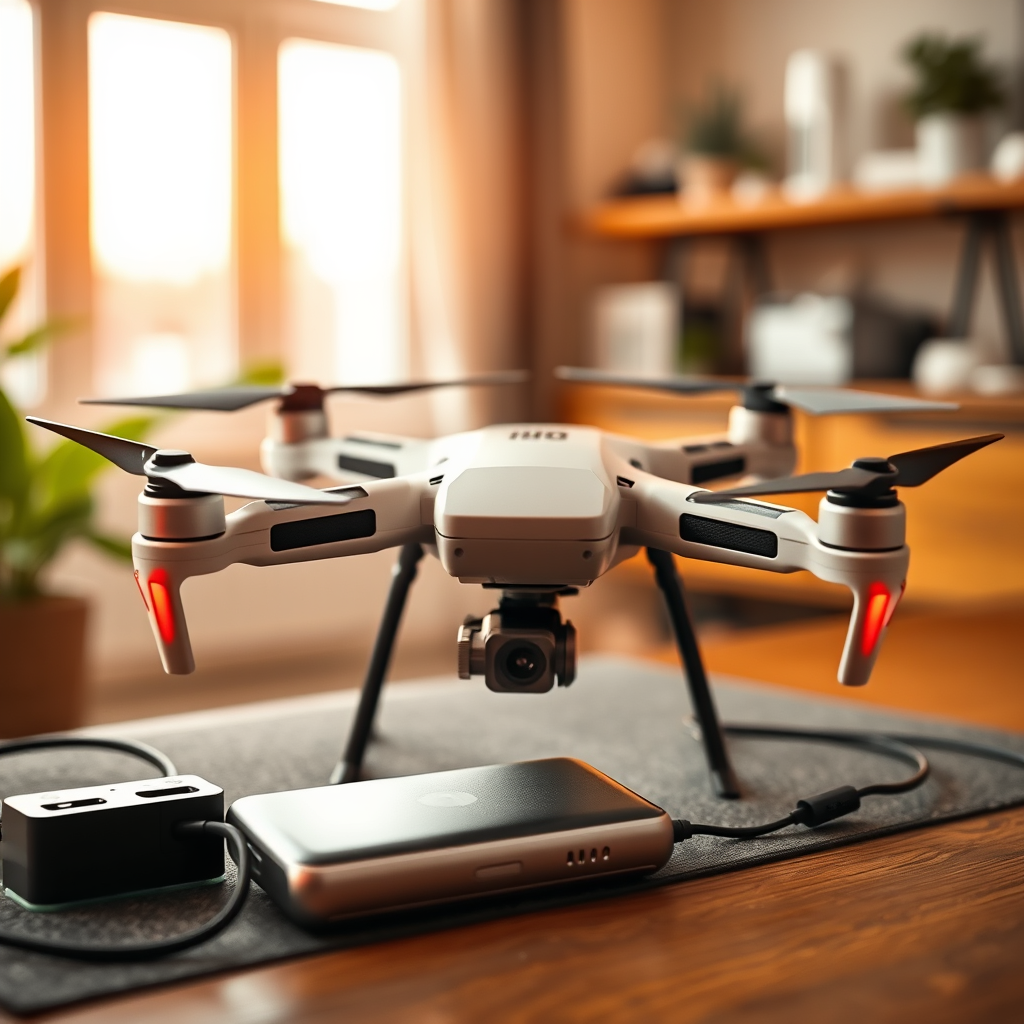
If you find yourself without a charger for your drone battery, there are alternative methods to recharge it. Using techniques like USB charging, a power bank, or even creative DIY solutions can keep your drone in the air. Each method has its own benefits and considerations, allowing drone enthusiasts to find a suitable workaround when faced with charging challenges. This guide will explore various options to help you recharge your drone battery effectively, ensuring you can continue enjoying your aerial adventures.
Understanding Drone Battery Types
To successfully charge your drone battery without a standard charger, it is crucial first to understand the different types of batteries used in drones. The most common types are Lithium Polymer (LiPo) and Lithium-ion (Li-ion) batteries. Each type has unique charging requirements and characteristics that dictate how they should be charged.
LiPo batteries, widely used in drones for their high energy density and lightweight properties, require a specific charging voltage and current to maintain their performance and safety. They can be damaged or even catch fire if overcharged. In contrast, Li-ion batteries are more forgiving in terms of charging but also require careful handling to prevent issues such as swelling or thermal runaway.
Before attempting to charge your drone battery without a charger, refer to the manufacturer’s specifications to determine the battery type, voltage, and capacity. This knowledge is critical in selecting the right alternative charging method and avoiding potential damage to your battery or drone.
Using a USB Connection
Many modern drones are designed with versatility in mind, featuring USB ports that allow for convenient charging. If your drone supports USB charging, you can quickly recharge the battery using a laptop, desktop computer, or power bank with a USB output.
To use this method, simply connect the drone to the USB port using the appropriate cable. Ensure that the device you are using to charge has sufficient power to provide the necessary voltage for your drone battery. Some drones may also benefit from specific USB charging protocols, such as USB-C Power Delivery, which can offer faster charging times. Always verify compatibility before proceeding to this charging method to avoid any potential malfunctions or damage.
Utilizing a Power Bank
A power bank is another effective solution for charging your drone battery when you lack a dedicated charger. This portable device can deliver power on the go, making it ideal for outdoor adventures or travel. However, it is essential to ensure that the power bank has the correct output voltage compatible with your drone battery.
To charge your drone battery with a power bank, follow these steps:
1. Check the specifications of both the power bank and the drone battery to ensure compatibility.
2. Connect the drone battery to the power bank using the appropriate cable.
3. Monitor the charging process to ensure it does not exceed the recommended voltage and duration.
A fully charged power bank with a high capacity can provide multiple charges to your drone battery, extending your flying time significantly. This method is especially beneficial for drone users who are frequently on the move and need a reliable charging solution.
Car Battery Charging Method
If you find yourself in a situation where you are away from home and without a charger, a car battery can serve as a practical alternative for charging your drone battery. However, this method requires an appropriate adapter to convert the car battery’s voltage to a level compatible with your drone battery.
To charge your drone battery from a car battery, follow these guidelines:
1. Ensure you have a suitable DC-DC converter or voltage regulator to prevent damaging your drone battery.
2. Connect the drone battery to the car battery using the correct connectors, ensuring you maintain proper polarity.
3. Monitor the charging process closely to avoid overheating or overcharging.
This method is particularly useful for drone enthusiasts who enjoy long outdoor trips or need to recharge in remote locations. However, safety precautions must be observed at all times to prevent accidents.
DIY Charging Solutions
For the technically inclined, creating a DIY charging solution can be an effective way to recharge your drone battery without an official charger. This approach requires a basic understanding of electronics, voltage regulation, and safety measures.
To construct a makeshift charger, you can use spare components such as resistors, capacitors, and a suitable power source. The steps involved include:
1. Determine the voltage and current specifications for your drone battery.
2. Use a multimeter to measure the output of your DIY charger to ensure it aligns with your battery’s requirements.
3. Construct the charger, ensuring all connections are secure and insulated to prevent short circuits.
While this method allows for customization, it also carries risks. A fundamental understanding of electrical safety is essential to avoid accidents, such as short circuits or overheating. If you’re uncertain about your abilities, it’s better to stick with more conventional charging methods.
Safety Precautions
When charging your drone battery without an official charger, safety should always be your top priority. Here are some essential safety precautions to keep in mind:
1. Monitor the Battery: Always keep an eye on your battery while it is charging. Look out for signs of overheating, swelling, or any unusual behavior.
2. Fireproof Bags: Consider using fireproof bags or containers while charging, especially with methods that involve higher risk, such as DIY chargers or car batteries. This precaution helps contain any potential fires.
3. Proper Ventilation: Ensure that the charging area is well-ventilated to dissipate heat and prevent the build-up of flammable gases.
4. Disconnect After Charging: Once charging is complete, promptly disconnect the battery to prevent overcharging and possible damage.
By adhering to these safety measures, you can minimize risks and ensure a safer charging experience for your drone battery.
When to Seek Professional Help
If you find yourself uncertain about any of the aforementioned methods or if your drone battery shows signs of damage, it is prudent to seek professional help. Consulting with a qualified technician or reaching out to the manufacturer can provide you with the necessary guidance to avoid further issues.
Professional services can offer valuable insights, particularly when dealing with damaged batteries or complex charging systems. Opting for expert help not only ensures that you are following safe procedures but also protects your investment in the drone and its components.
In conclusion, while charging your drone battery without a charger is possible through various methods, it’s crucial to prioritize safety and follow appropriate procedures. Always check your drone’s specifications and use compatible devices to ensure a successful charge. With the right knowledge and precautions, you can keep your drone soaring high, even when conventional charging options are unavailable. If in doubt, do not hesitate to consult a professional for assistance to ensure the longevity and safety of your drone battery.
Frequently Asked Questions
How can I charge my drone battery without the original charger?
You can charge your drone battery without the original charger by using a compatible universal battery charger or a power bank. Make sure the voltage and connector type match your drone battery specifications to ensure safety and efficiency. Additionally, you can use a DIY charging method with a balance charger, but this requires technical knowledge and should be approached with caution.
What alternative methods can I use to charge my drone battery in an emergency?
In an emergency, you can use a car charger or a portable power bank specifically designed for drone batteries. Some users have successfully utilized USB charging cables if the battery supports USB charging. Always verify compatibility and keep an eye on charging progress to prevent overcharging, which can damage the battery.
Why is it important to use the correct charger for my drone battery?
Using the correct charger for your drone battery is crucial to prevent damage, ensure safety, and prolong battery life. Incorrect voltage or amperage can lead to overheating, battery swelling, or even a fire hazard. Always refer to the manufacturer’s specifications to select the right charging method.
Which types of chargers can I safely use with my drone battery?
You can safely use smart chargers, universal chargers, or balance chargers that match your drone battery’s voltage and connector type. It’s important to choose chargers that have built-in safety features like overcharge protection and temperature control to avoid potential hazards while charging your drone battery.
What should I do if my drone battery won’t charge without a charger?
If your drone battery won’t charge without a charger, first check for any visible damage or wear on the battery terminals. If the battery is still unresponsive, try using a different charging method, such as a universal charger or connecting it to a power bank. If none of these solutions work, the battery may need professional servicing or replacement. Always prioritize safety and avoid using damaged batteries.
References
- https://en.wikipedia.org/wiki/Drone
- https://www.faa.gov/uas/getting_started/part_107/
- https://www.researchgate.net/publication/323123456_Charging_methods_for_lithium_ion_batteries
- https://www.nist.gov/news-events/news/2017/03/nist-researchers-develop-better-way-charge-lithium-ion-batteries
- https://www.sciencedirect.com/science/article/pii/S0378775312002980
- https://www.techrepublic.com/article/how-to-charge-a-drone-battery-without-a-charger/
- https://www.dronesglobe.com/drone-battery-charging-guide/
- https://www.abc.net.au/technology/how-to-charge-drone-batteries/12345678
