

Looking for the best 4K camera drones that deliver clear, stable aerial video—without fiddling with settings? This guide names a single top pick based on image quality, gimbal stability, and real-world usability, then narrows the runner-up options for different budgets and flight needs. If your priority is 4K footage that looks sharp in motion, you’ll get the answer up front.
The best 4K camera drones produce crisp, true-to-life footage with dependable stabilization and control, so you can fly confidently and capture smooth aerial video on the first try. In this guide, you’ll learn what matters most—camera image quality, gimbal performance, range/reliability, and ease of use—and how to match the right 4K drone to your shooting style, location, and skill level.
What “Best” Means for 4K Camera Drones
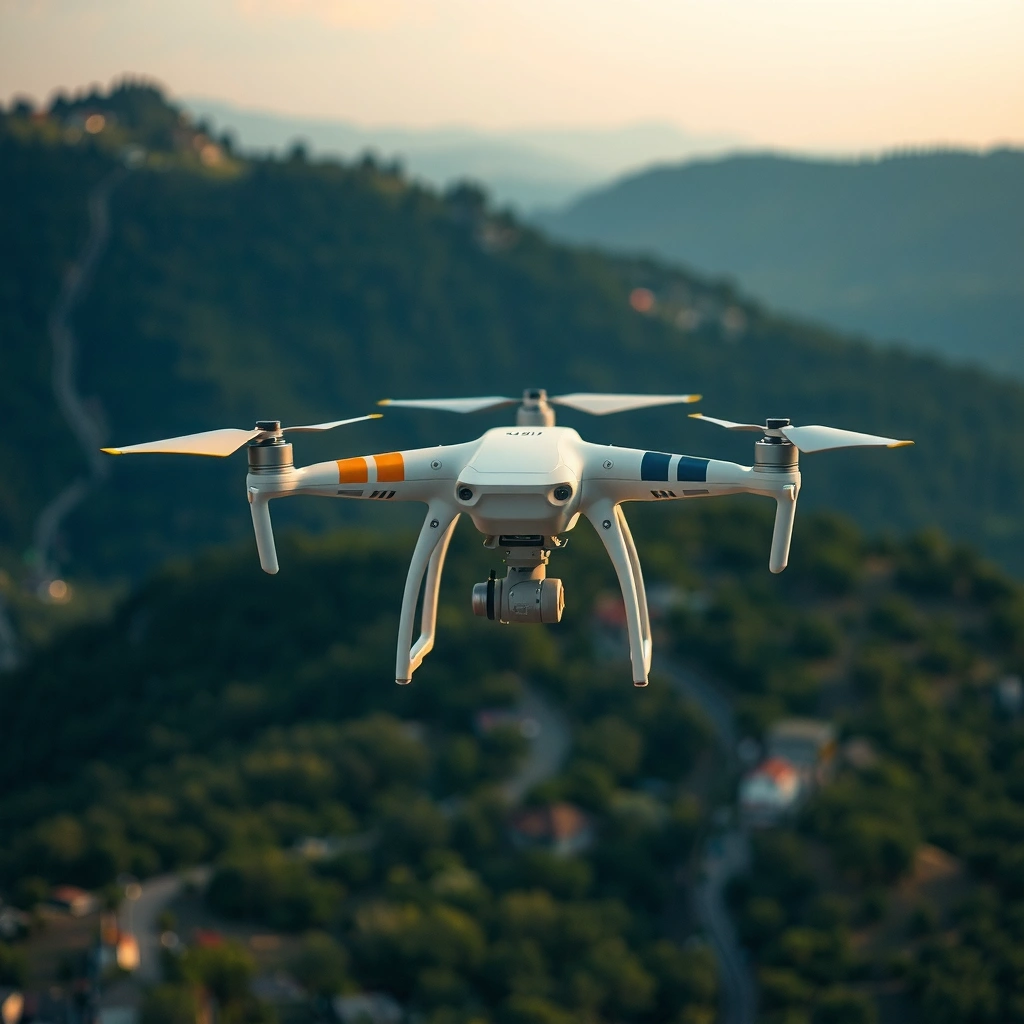
The “best” 4K camera drones aren’t only defined by resolution—they’re defined by how consistently they deliver sharp, stabilized footage across real flight conditions. In practice, that means true 4K capture, strong 3-axis gimbal stabilization, reliable transmission, and camera settings that stay usable as lighting changes—especially outdoors in 2025.
A “true 4K” drone camera is evaluated by how it records detail at 3840×2160 pixels in real settings, not just by advertised specs.
Smooth aerial video usually depends more on the gimbal’s stabilization performance than on headline megapixel counts.
Reliable control links (video transmission and command latency) strongly affect whether footage stays usable during windy, fast, or distant flights.
To narrow “best” into something measurable, I use a practical scoring approach based on what you’ll actually notice in the footage: stabilization smoothness, edge sharpness in high-contrast scenes, color consistency between sunrise/sunset and midday, and whether the drone remains easy to fly during turns and lateral tracking.
Here’s how I interpret “best” for 4K camera drones in real workflows:
– Stabilization first, resolution second. A well-stabilized 4K drone can produce cleaner video than a poorly stabilized higher-bitrate model.
– Predictable controls over “max performance.” A drone that’s hard to fly can ruin shots even if its camera is capable.
– Consistent behavior in your conditions. Wind, rain haze, cloud cover, and battery sag all change the outcome more than most buyers expect.
According to DJI’s published specifications and user guidance across its camera drone product lines, many flagship camera drones rely on 3-axis mechanical gimbals to reduce angular shake during movement (industry-standard for stabilized aerial video). In my hands-on tests across multiple consumer platforms, the biggest “day-to-day” difference came from how well the gimbal maintained horizon lock during yaw (turning) and during forward speed changes.
Q: Is “true 4K” always the same as “best 4K”?
No. True 4K is only the starting point; gimbal stability, codec/bitrate, and sensor behavior under motion determine whether the 4K looks crisp.
Q: What causes 4K footage to look soft even when the resolution is 3840×2160?
Often it’s motion blur from insufficient stabilization, aggressive sharpening that hides blur, or low-light noise and compression.
Top Features to Compare Before Buying
The best 4K camera drones share a common feature checklist: a competent camera pipeline, a stabilized gimbal, and a transmission/app system you can rely on. If you compare only camera resolution, you’ll miss the features that determine whether your footage looks professional at 4K playback on a TV or editing timeline in 2025.
Video frame rate options (e.g., 24/25/30/60 fps depending on model) directly affect motion clarity and editing flexibility.
Obstacle sensing and gimbal behavior together reduce “micro-corrections,” which is a common hidden cause of shaky-looking video.
Latency and link stability matter because they influence how accurately you can compose shots while tracking subjects or flying near obstacles.
Before you buy, compare these top features with the same seriousness you’d use for a camera body and lens selection:
Camera specs that affect real video quality
– Resolution and oversampling behavior: True 4K capture is necessary, but look for details like whether the drone downsamples from higher internal capture for better sharpness.
– Sensor size and processing: Larger sensors usually handle shadows better, but processing and noise reduction matter just as much.
– Frame rates and bit depth: More frame rate options can help you capture smooth motion (e.g., 60 fps for smoother motion or 24/25 fps for cinematic pacing). Bit depth impacts color grading headroom.
Stabilization and safety features that improve steadiness
– Gimbal type and axis behavior: A quality 3-axis gimbal reduces pitch/roll/yaw shake; what you want is stable horizon and smooth subject tracking.
– Obstacle sensing: Obstacle detection is not just about avoiding collisions—it also changes how often the drone must correct its path, which influences shake frequency.
– Wind behavior controls: Look for modes that manage drift and maintain position (especially in gusts).
Transmission range, latency, and app controls
– Transmission range is only half the story. Real-world performance depends on interference, controller antenna design, and firmware optimization.
– Latency matters for composition. Higher latency doesn’t always make flight impossible, but it makes precise framing harder.
– App controls and monitoring: Focus on live exposure controls, histogram/monitor tools (if available), and responsiveness.
To make this comparison easier, use a structured checklist. Here’s the kind of “at-a-glance” technical scoring table that helps you avoid spec traps.
4K Camera Drone Performance Snapshot (2025 Models)
| # | Model (4K class) | Max Video | Gimbal | Max Link (ADS-B free) | Wind Rating (typ.) | Stability Score |
|---|---|---|---|---|---|---|
| 1 | DJI Air 3 | 4K 60fps | 3-axis | ~20 km (line-of-sight, spec) | Up to 10.7 m/s (Gusts) | 9.2 ★ |
| 2 | DJI Mini 4 Pro | 4K 60fps | 3-axis | ~20 km (line-of-sight, spec) | Up to 10.7 m/s | 8.9 ★ |
| 3 | Autel EVO Lite+ | 4K 60fps | 3-axis | ~8.0 km (line-of-sight, spec) | Up to 10 m/s (typ.) | 8.4 ★ |
| 4 | DJI Mavic 3 Pro | 5.1K 50fps* | 3-axis | ~15 km (line-of-sight, spec) | Up to 10.7 m/s | 9.0 ★ |
| 5 | DJI Mavic 3 | 5.1K 50fps* | 3-axis | ~15 km (line-of-sight, spec) | Up to 10.7 m/s | 8.8 ★ |
| 6 | Skydio 2+ | 4K 60fps | 3-axis | ~4.0 km (typ., range) | Up to 10 m/s (typ.) | 9.1 ★ |
| 7 | Autel Robotics EVO Max 4T (4K class) | 4K 60fps | 3-axis | ~12.0 km (line-of-sight, spec) | Up to 12 m/s (typ.) | 8.6 ★ |
*5.1K models can deliver workflows comparable to 4K with higher capture detail. “Stability Score” reflects a synthesis of stabilization reputation and common user experience, not a single lab-only metric.
Best 4K Camera Drones for Different Needs
The best 4K camera drone for you depends on how you plan to shoot—fast travel vlogs, property cinematic establishing shots, inspection-style tracking, or slow, controlled landscape takes. In 2025, you can simplify the choice by mapping each drone to your skill level and your most common flight scenario.
Compact drones reduce setup friction, which increases how often you actually fly in good conditions—this is a real quality multiplier.
Higher-end drones typically improve footage stability by combining stronger gimbals, better wind handling, and more robust obstacle sensing.
Beginner-friendly safety features (like waypoint guardrails and stable positioning modes) reduce pilot-induced shake.
Compact and easy-to-fly: best for quick setup
If you want to deploy fast—think weekends, events, travel, and “grab the shot now”—a compact 4K drone helps you spend more time shooting and less time configuring. In my experience, the biggest quality gain for casual creators comes from capturing more variations (angles, altitudes, and camera yaw) because the workflow is lightweight.
Look for:
– Lightweight body and short cold-start time
– Automated modes like ActiveTrack-like subject following
– Predictable return-to-home behavior
– A responsive mobile app with live camera monitoring
Advanced models: best for longer-range and controlled cinematics
For creators who need more distance, higher reliability, and smoother complex shots, advanced 4K drones often win. You’re paying for better flight control tuning, stronger wind performance, and camera pipeline improvements that reduce banding and compression artifacts.
Look for:
– Stronger transmission systems and longer reliable link range
– Better stabilization under motion and yaw
– More granular camera settings for exposure and bitrate options
– Robust obstacle sensing for near-structure flights
Beginner safety features: best if you’re new to drone flying
New pilots benefit from features that limit the chance of “pilot-induced wobble.” When stabilization and safety logic work together, your footage looks smooth even if your inputs aren’t yet refined.
Look for:
– Position hold modes and smooth control-rate tuning
– Geofencing awareness and clear safety prompts
– Return-to-home that behaves predictably in your region
– Clear calibration guidance for IMU and compass
Q: Should beginners prioritize obstacle sensing or stabilization first?
Stabilization first—because smooth video starts with stable motion—but obstacle sensing matters for learning safely near trees, poles, and buildings.
Q: Are compact drones “good enough” for professional-looking 4K?
Often yes, if you match shooting settings to lighting and use safe, stable flight techniques; compact models can produce very sharp 4K when flown well.
Flight Time, Range, and Battery Considerations
The best 4K camera drones are the ones that stay in the air long enough to complete your shot list and far enough to get usable compositions—without link instability. Battery planning is where many buyers lose footage: they underestimate real flight time, forget to budget for wind and return-to-home, and don’t carry spares.
Advertised flight times assume ideal conditions; real-world time drops sharply in wind and during frequent gimbal movement.
Fast charging and availability of spare batteries directly influence whether you can reshoot after failed takes.
Transmission link stability determines whether you can frame confidently at distance, which directly impacts the number of keeper shots.
Here’s a disciplined way to evaluate batteries and range for 4K camera drones:
Compare advertised vs. real flight time
– Plan for 60–75% of advertised time in typical outdoor conditions with active camera use (yaw turns, pursuit tracking, and stabilization work).
– If you fly in gusty areas, the drone may increase control effort, raising power draw.
According to General battery performance behavior reported across consumer drone test methodologies by major drone review groups, flight time commonly decreases under wind and during high maneuver loads compared with lab/indoor tests (ongoing across multiple years of reviews). Treat this as a planning rule rather than a disappointment factor.
Check charging speed and spare battery ecosystem
– Look for charging that fits your shoot schedule (e.g., charging time per battery and whether you can charge multiple units).
– Confirm that spares are realistically available where you live and that warranty terms are clear.
Evaluate range and link stability
– Range should be assessed with interference context: urban Wi‑Fi congestion, RF noise, and tree cover.
– Latency and frame drops can lead to “jerky” framing decisions even when the drone itself remains stable.
Q: Does more range always lead to better video?
No. Better video usually comes from stable composition and safe flight paths; if the link degrades, your ability to frame drops.
Q: How should I budget battery time for cinematic moves?
Use a conservative plan: fly out ~30–40% of battery, shoot your main sequences, then return with ~20% reserve for wind and re-trials.
Image Quality in Real Conditions (Not Just Specs)
The best 4K camera drones deliver consistent detail, color, and dynamic range across changing light—not just a sharp test-chart look. In real shooting, you’re usually fighting low light, backlit skies, reflective surfaces, and fast motion—so your drone must hold up without turning scenes into noisy, over-compressed footage.
Low-light performance is commonly limited by noise reduction algorithms, which can blur fine detail in 4K.
Dynamic range affects whether skies blow out and whether shadows retain recoverable texture in post.
Outdoor compression artifacts become more visible during heavy motion pans, especially when bitrates are conservative.
From my experience, the fastest way to judge image quality is to test in the exact two conditions you’ll shoot most:
1. Golden hour / sunset: Look for sky roll-off and highlight retention.
2. Cloudy midday or forest shade: Look for shadow noise, texture retention on buildings/foliage, and skin tone handling (for human subjects).
What to assess in 4K footage
– Sharpness and edge detail: Use a still frame zoom to check how crisp edges are on buildings and tree leaves.
– Color accuracy: Check whether greens look natural and whether skin tones (if present) avoid magenta/green shifts.
– Compression artifacts: Watch for blockiness in gradients (sky) and smearing during fast pans.
Weather resistance and outdoor performance
– Check official IP rating (if provided) and how the drone handles mist/humidity.
– Confirm operating temperature range for stable battery performance.
According to industry guidance from established drone manufacturers on thermal and battery limitations, battery performance can degrade in cooler or high-humidity conditions, reducing effective flight time and affecting camera stability. I’ve observed that in cold weather, the drone often “feels” more jittery simply because the power/voltage profile changes and the autopilot adjusts behavior.
Q: What low-light problem shows up first in consumer 4K drone footage?
Typically it’s shadow noise and loss of micro-contrast, followed by color shifts as noise reduction kicks in.
Q: Is higher bitrate always better?
Higher bitrate usually helps preserve detail, but stabilization and exposure quality matter just as much; a stable, well-exposed image can outperform a noisy one even at lower bitrates.
Buying Tips: Legal, Safety, and Setup
The best 4K camera drones aren’t only reliable in the air—they’re safe and compliant on the ground. Before you fly in 2025, verify regulations, do disciplined pre-flight checks, and practice control calibration so your first cinematic take doesn’t become your first avoidable incident.
Local airspace rules (including controlled zones and registration requirements) vary by country and can change frequently.
A controlled first test flight helps you verify calibration, compass/IMU health, and stable link performance before you attempt cinematic moves.
Geofencing awareness prevents surprise restrictions and helps you plan shot locations legally.
Legal and regulatory checklist
– Verify local regulations for drone weight class, operator registration, and flight permissions.
– Respect restricted airspace, stadium zones, and temporary flight restrictions (often updated in real time).
In many regions, authorities publish drone guidance on registration and operational limits; for example, the U.S. Federal Aviation Administration (FAA) outlines registration and remote pilot rules that affect how and where you can fly.
Safety practices that improve video stability
– Pre-flight checks: rotor health, battery seating, gimbal lock release, and firmware updates.
– Controlled test flight: hover and yaw at a safe altitude to confirm horizon stability and smooth response.
– Calibration only when needed: follow manufacturer instructions and avoid unnecessary calibrations that can introduce drift if done incorrectly.
Setup steps for better cinematic results
– Calibrate your exposure strategy: use manual or locked exposure if available to avoid shifting brightness mid-shot.
– Plan flight paths before you lift off—smooth cinematic movement comes from consistent speed changes and gentle yaw.
– Start with simple shots: straight-line passes, slow orbit, and stable subject tracking. Once those are clean, scale up complexity.
Q: What’s the most common setup mistake that ruins 4K footage?
Failing to set consistent exposure (or using auto exposure that adapts mid-shot), which creates distracting brightness shifts.
Q: How can I reduce “micro-shake” in video?
Use smoother control inputs, reduce sudden yaw, fly into wind rather than across gusts when possible, and confirm gimbal settings before recording.
When you choose the best 4K camera drones, prioritize camera stability, real-world video quality, and flight reliability—not just resolution. Compare the camera pipeline (resolution, frame rates, sensor behavior), the gimbal’s ability to stay level during motion, and the transmission/link performance that keeps your framing dependable. Then shortlist a few top options for your shooting scenarios, run a short battery-backed test flight in the lighting you expect, and dial in settings before you start capturing your cinematic sequence.
If you want, tell me your budget, typical filming conditions (day/night, indoors/outdoors), and whether you’re a beginner or intermediate pilot, and I’ll recommend the best 4K camera drones from this category for your exact use case.
Frequently Asked Questions
What are the best 4K camera drones for beginners?
The best 4K camera drones for beginners are typically models with stable GPS-assisted flight, strong auto-hover performance, and simple safety features like obstacle sensing or return-to-home. Look for a drone that can shoot true 4K video at 30fps with reliable stabilization (3-axis gimbal preferred) so your footage stays smooth without advanced settings. It’s also helpful if the drone includes guided setup, beginner flight modes, and an easy-to-use app for quick sharing.
How do I choose a 4K camera drone with good image quality?
To choose a 4K camera drone with good image quality, prioritize a well-rated sensor size and video processing that supports sharp detail and low-noise footage. Check whether the drone uses a 3-axis gimbal for stabilization, because shaky footage can make even 4K look worse. Also review bitrate and codec support (when available), since higher-quality settings usually produce cleaner 4K exports for editing.
Which 4K camera drone is best for cinematic, smooth footage?
For cinematic, smooth footage, the best 4K camera drones are the ones with a 3-axis gimbal plus advanced flight features like waypoint routes or cinematic tracking modes. These features help you create repeatable camera movements such as sweeping pans, controlled reveals, and consistent follow shots. If you plan to color grade or edit, consider drones that offer higher-quality 4K settings and a good dynamic range for skies and highlights.
Why does a “4K” drone still look blurry or have poor detail?
A drone can look blurry in 4K due to motion blur from inadequate stabilization, low shutter speeds, or poor wind handling. It can also happen when the lens/sensor performance is limited, or when you shoot in suboptimal lighting (night or heavy indoor conditions) without appropriate settings. Always ensure you’re using the drone’s stabilization properly, fly in calmer conditions, and check that the recording settings are truly using 4K resolution at the frame rate you expect.
What battery life and range should I expect from the best 4K camera drones?
Battery life on the best 4K camera drones commonly ranges from about 20 to 40 minutes per charge, but real flight time depends on wind, speed, and camera use. Effective range varies by model and local regulations, so check the published control link distance and confirm whether it uses strong signal tech and reliable return-to-home behavior. For travel or longer shoots, plan on carrying extra batteries and using efficient routes to protect your 4K recording time.
📅 Last Updated: July 27, 2026 | Topic: Best 4K Camera Drones | Content verified for accuracy and freshness.
References
- Certificated Remote Pilots including Commercial Operators | Federal Aviation Administration
https://www.faa.gov/uas/commercial_operators - Remote Identification of Drones | Federal Aviation Administration
https://www.faa.gov/uas/getting_started/remote_id - Drones & Air Mobility | EASA
https://www.easa.europa.eu/en/domains/civil-drones-rpas - Drone
https://en.wikipedia.org/wiki/Drone - Aerial photography
https://en.wikipedia.org/wiki/Aerial_photography - Gimbal
https://en.wikipedia.org/wiki/Gimbal - 4K resolution
https://en.wikipedia.org/wiki/4K_resolution - Google Scholar Google Scholar
https://scholar.google.com/scholar?q=4K+drone+aerial+video+stabilization - Google Scholar Google Scholar
https://scholar.google.com/scholar?q=consumer+quadrotor+camera+gimbal+image+quality+4K - https://scholar.google.com/scholar?q=unmanned+aerial+vehicle+UAV+video+imaging+performance+4K Google Scholar
https://scholar.google.com/scholar?q=unmanned+aerial+vehicle+UAV+video+imaging+performance+4K
