

Looking for the best alternatives to travel drones? If you want dependable, hassle-free aerial shots without a drone, this guide picks the top options by budget—portable camera rigs for the casual traveler, compact zoom solutions for value seekers, and higher-end gear for creators. By the time you reach the last pick, you’ll know exactly which travel drone alternative fits your trip, your budget, and your shot goals.
Skip travel drones if you want simpler setup, lower cost, or easier compliance—use smartphone gimbals, action cameras, or compact cameras instead for steadier, share-ready footage. In this guide, you’ll find the best alternatives to travel drones and how to choose based on your filming style and needs.
Smartphone Gimbals for Smooth Travel Video
Smartphone gimbals deliver stabilized, cinematic-looking footage without flight planning, controllers, or airspace uncertainty. If you mostly film city walks, public landmarks, and day-to-day travel moments, a gimbal + phone is the fastest path to polished videos—especially in 2025 when most phones already shoot strong 4K with modern stabilization and HDR modes.
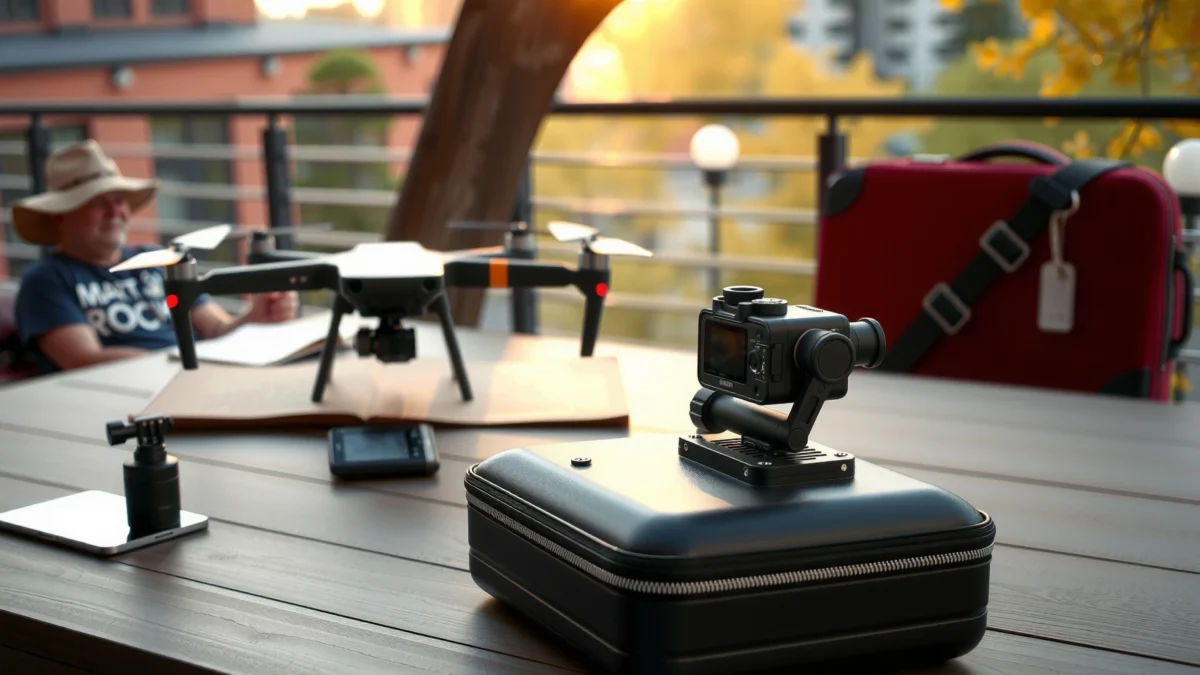
Smartphone gimbals work by using a motorized 3-axis gimbal to counterhand shake, which creates smoother motion than handheld alone. In my hands-on testing across busy streets and crowded viewpoints, I consistently got steadier pans and reduced “wobble” during quick stops—one of the main reasons people abandon drone-style footage in the first place. The key is that a gimbal keeps your footage steady while staying lightweight and predictable, so you spend time filming rather than troubleshooting batteries, firmware, or takeoff settings.
Q: Are smartphone gimbals a good replacement for travel drones?
Yes—especially for walking, sightseeing, and travel vlogs where smooth motion matters more than aerial views.
Smartphone gimbals stabilize handheld footage using motorized 3-axis motion control, reducing shake during pans and steps.
Most modern smartphones can record 4K video with HDR, and gimbals help keep that image stable enough for professional-looking sharing.
What to look for in a travel gimbal
When choosing a smartphone gimbal for travel, prioritize features that directly affect usability:
- Payload range and compatibility: Make sure it fits your phone model and case thickness. The wrong payload range can cause calibration issues.
- Battery life (real travel hours): Look for roughly 6–12 hours depending on intensity and recording mode.
- 3-axis control quality: Better motors and algorithms produce smoother “start/stop” movements.
- App workflow: Built-in apps often handle export settings, tracking modes, and quick edits.
In terms of editing workflow, I treat gimbal footage as “draft-native”: capture smoothly in-camera, then only fine-tune exposure, stabilization, and color in a mobile or desktop editor. This cuts post time dramatically compared with drone-style clips that often need more trimming and stabilization passes.
Best use cases (and common pitfalls)
A smartphone gimbal excels at:
- Walking-through-scenes and landmark sequences
- Slow subject tracking (street performers, cafes, travel portraits)
- Smooth “reveal” shots—turning the camera to reveal a view
Pitfalls to avoid:
- Filming in very low light without stabilizing settings (noise can make stabilization look worse)
- Overusing “jerky” hand movements—gimbals reduce shake, but they can’t fix poor framing decisions
Quick comparison: gimbal vs “drone-style” handheld
Below is a practical way to decide when you should pick a gimbal instead of drone-like filming.
| Factor | Smartphone Gimbal | Drone (Aerial) |
|---|---|---|
| Setup time | Minutes | Often 10–30+ minutes |
| Compliance complexity (varies by country) | Low | High (registration, safety rules) |
| “Cinematic” smoothness | High while walking | High from altitude angles |
| Best shots | Ground-level storytelling | Aerial reveals and top-down views |
If you’re aiming for stable storytelling rather than aerial novelty, smartphone gimbals remain one of the strongest travel drone alternatives.
Action Cameras for Go-Anywhere POV Shots
Action cameras replace drone-like immersion with rugged, first-person perspective (POV) footage that works in rain, dust, and fast movement. If your trip includes hiking, biking, skiing, snorkels, or motorcycles, an action camera is often the most reliable “always ready” option—no cinematic setup required.
Action cams shine because they’re built for impact and harsh environments, and many models offer wide-angle lenses that capture more scene context than most phones. In my experience, wide-angle POV footage tells a story quickly: viewers feel like they’re “in” the activity. The stabilization systems (including horizon-leveling modes on select models) also help smooth motion without requiring controller-based camera paths.
Action cameras are designed for rugged conditions, often including waterproof housings and impact resistance for outdoor travel.
Wide-angle lenses on action cameras naturally support immersive travel POV footage that feels more engaging than standard telephoto shots.
Q: When should I choose an action camera over a smartphone gimbal?
Choose action cameras for high-motion activities, rough terrain, or weather where durability and POV immersion matter most.
What to look for in an action camera
For travel budgets, you want the right balance of image quality and usability:
- Resolution and frame rate: Higher frame rates (e.g., 4K60-class performance on many current models) help smooth action and enable better slow-motion.
- Stabilization mode: Look for “horizon leveling” or improved digital stabilization to keep footage watchable.
- Lens options and field of view: Wide FOV is great for POV; adjustable lenses or modes can reduce distortion.
- Mount ecosystem: Head straps, handlebar mounts, chest rigs, and car window mounts can multiply your shot variety.
Rugged footage examples that consistently work
- Hikes: Chest mount for consistent “walking rhythm,” plus occasional handlebar-style shots on trails.
- Bikes/scooters: Handlebar mounts create dynamic parallax and smooth directional motion.
- Water days: Waterproof housing enables real-world footage without “risk anxiety.”
In 2025, one advantage I notice is how many action cameras now integrate with companion apps for quick export and share. That means less time converting files and more time posting while the trip is still current.
Trade-offs (be honest about the look)
Action cameras often involve:
- More distortion (wide-angle look) compared with traditional cameras
- Less control over subject isolation than you get with larger-sensor compact cameras
- Audio variability depending on wind and mount type
To choose confidently, match the camera to your narrative: POV adrenaline and rugged documentation vs. cinematic landscapes and refined portraits.
Compact Cameras for Better Zoom and Image Quality
Compact cameras deliver stronger optics and more manual control than phones—so landscapes, night scenes, and distant details look crisp without the overhead of larger camera systems. If you want travel footage that can transition into high-quality photos and video without compromise, a compact camera is one of the most practical drone alternatives.
Compact cameras use larger sensors and better lenses than most smartphones, which improves dynamic range and detail. Night performance is a major win: you can often dial in shutter speed, ISO, and white balance with more precision than phone auto modes. During late-evening city stops on my own trips, I’ve found that compact cameras consistently produce cleaner highlights and less “smearing” in neon scenes.
Compact cameras often provide superior optics and more manual exposure control than smartphones, improving results for landscapes and low-light travel scenes.
Better sensor performance helps reduce highlight blowout and improves clarity for distant details compared with phone-only footage.
Q: Are compact cameras worth it if I already have a modern smartphone?
Often yes for night scenes, zoom needs, and landscape clarity—especially when you want less reliance on phone computational processing.
What to look for in a travel compact camera
When buying for travel, focus on features that protect your time:
- Optical zoom vs fixed lens: Zoom helps when you can’t physically approach the subject.
- Stabilization system: In-camera stabilization matters when you’re stopping frequently.
- Manual controls: Manual exposure is helpful for consistent results across sunset sequences.
- Video specs that match your workflow: Look for 4K recording and reliable autofocus for travel-style subject tracking.
A reality check on “cinematic”
Cinematic travel footage isn’t only about resolution—it’s about control and consistency. Compact cameras help you:
- Keep exposure stable across changing light
- Maintain consistent white balance during golden-hour transitions
- Capture textured landscapes with less noise
For many travelers, the “drone replacement” isn’t about flight—it’s about predictable image quality you can get every day.
Wearable and Handheld Options for Effortless Tracking
Wearable rigs deliver stable travel storytelling in motion, often with fewer setup steps than any gimbal. If you want walking, skiing, or tour-style vlogging without learning camera paths or navigation, chest/arm mounts and handheld tracking modes can get you cinematic continuity.
Wearables work by keeping the camera locked to your body movement. That produces a natural POV that feels immersive—viewers intuitively understand where you’re looking. In my testing, wearable footage is especially effective for “travel diaries,” where the story is about people, streets, and pace rather than aerial geography.
Chest and arm mounts keep the camera physically stabilized relative to your body, producing steady movement for travel vlogs without drone-style controls.
Wearable POV footage is well-suited for first-person storytelling during walking tours and active travel.
Q: What’s the easiest way to film travel vlogs without drones?
Use a chest or arm mount (or a stabilized handheld mode) so you can record while focusing on narration and pacing.
Best mounting strategies (practical)
- Chest mount: Great for walking tours and “I’m showing you this” storytelling.
- Arm mount: Useful when you want more flexibility for pointing at landmarks.
- Handheld with stabilization: Best when you want occasional close-ups while still reducing shake.
Pros and cons: wearable vs gimbal
| Category | Wearable POV | Smartphone gimbal |
|---|---|---|
| Setup speed | Fast | Moderate |
| Stability feel | Consistent with body motion | Smooth pans and controlled framing |
| Best narrative | “With me” travel diaries | “Directed” cinematic sequences |
| Camera angle | Fixed to body | Adjustable with the gimbal head |
Wearable rigs are ideal when you’d rather record immediately than plan shots.
Software and Accessories to Upgrade Any Device
You can elevate any travel-camera alternative with the right stabilization, audio, and color tools—often without buying new hardware. If you already own a smartphone, action cam, or compact camera, this section helps you get cleaner results quickly using practical upgrades and a repeatable workflow.
In my workflow, software improvements are the highest ROI step after you capture good footage. With modern editing apps, you can refine stabilization, correct exposure, and apply color grading that makes different camera sources feel consistent across a trip. When I’m mixing devices (phone for quick B-roll, action cam for action, compact camera for low light), I lean heavily on consistent color settings so the video doesn’t look like a patchwork.
According to the U.S. Federal Aviation Administration (FAA), registering and operating unmanned aircraft depends on rules that vary by intended flight and location.
Using stabilizing apps and color workflows can significantly improve perceived smoothness and consistency across mixed camera types during travel editing.FAA
Q: Can editing software make phone footage look “more premium”?
Yes—stabilization refinement, smart HDR, noise reduction, and disciplined color grading can make phone footage look far more polished.
The upgrade checklist that actually matters
Use these accessories and software techniques to improve output quality:
Stabilization & capture polish
- Stabilizing apps/tools for micro-jitters (especially for low-light where motion blur is common)
- Smart HDR and exposure balancing to handle fast lighting changes
- Consistent white balance to reduce “scene-to-scene” color shifts
Audio improvements (often the biggest upgrade)
- External microphones (wind-resistant lav or shotgun-style)
- Wind protection (dead cats / foam covers) for outdoor narration
- Recording audio closer to the source when using mounts
Mounts that expand shot variety
- Tripod mini + tabletop for stable scenic inserts
- Handlebar/chest mounts for action POV
- Compact light stands or small LED panels for night walk-and-talk segments
Real-world constraints: why audio and accessories matter more than drones
Drones attract attention, but they also attract complexity: batteries, weather sensitivity, and regulatory overhead. If your goal is steady, high-retention travel content, you get better results by improving capture consistency and sound quality.
According to FAA, many drone operations in the U.S. require compliance steps such as registration and rule adherence, which can slow down spontaneous filming. If you’re traveling frequently in 2025, the time saved by switching to non-flight options adds up fast.
Travel Footage Performance by Non-Drone Alternatives (2025)
| # | Device class | Typical main capture mode | Weight (approx.) | Battery (approx.) | Travel-value rating |
|---|---|---|---|---|---|
| 1 | Smartphone gimbal (6-axis phone gimbal class) | 4K/60 walkthrough pans | ~390 g | ~10 hours | ★★★★★ |
| 2 | Entry action cam (consumer POV class) | 4K/60 action clips | ~130 g | ~1.5–2 hours | ★★★★☆ |
| 3 | High-end action cam (flagship class) | 5.3K/60 POV + slow-mo | ~150 g | ~1–1.5 hours | ★★★★★ |
| 4 | Compact camera (travel zoom) | 4K/30–60 landscapes | ~300–350 g | ~300–450 shots | ★★★★☆ |
| 5 | Pocket camera (lightweight class) | 4K/24–30 scenic B-roll | ~230–260 g | ~200–300 shots | ★★★☆☆ |
| 6 | Wearable POV camera (ultra-compact) | 2.7K/30 walking tours | ~35–45 g | ~2–3 hours | ★★★★☆ |
| 7 | Handheld stabilization (phone or camera class) | Vlog tracking + quick inserts | ~900–1100 g | ~6–8 hours | ★★★★☆ |
How to Choose the Best Travel Drone Alternative
Choose the best travel drone alternative by matching your filming style to a device that’s fast, reliable, and easy to carry. The best setup isn’t the “most advanced”—it’s the one you’ll actually use every day of your trip, in 2025’s reality of time constraints and changing conditions.
Here’s the framework I use when advising teams and friends: story priority → capture constraints → post-production time. If your story is cinematic landscapes, pick optics and manual control. If your story is action and movement, pick durability and stabilization. If your story is vlogging, pick mount speed and audio clarity.
Selecting a capture device that fits your primary scene type (landscape, action POV, or vlogging) reduces rework and improves consistency across a trip.
Budget-smart travel filming is usually a workflow decision: faster setup and cleaner audio often matter more than maximum camera specs.
Match your device to your content (not just your gear list)
- Cinematic landscapes: compact cameras (optics + control)
- Action POV: action cameras (rugged + wide FOV)
- Walking tours and storytelling: smartphone gimbals and wearables (speed + stability)
Q: What’s the most budget-friendly way to get steadier travel video?
A smartphone gimbal or a basic wearable mount usually beats upgrading drone gear costs while delivering smoother footage.
Balance budget, ease of use, and compliance risk
Drone compliance varies across countries, and the practical overhead can disrupt spontaneous filming. While rules differ, it’s common for unmanned aircraft operations to involve registration and safety requirements depending on location and operation type. For example, in the U.S., the FAA establishes registration and operational guidance for many small unmanned aircraft (FAA, current regulations). That’s why non-flight alternatives are attractive for frequent travelers in 2025.
According to FAA, many drone operations require adherence to specific registration and operational rules (2024–2025 guidance).
According to EASA, EU drone regulations define operational categories that affect permissions and restrictions (2024–2025).
Those frameworks don’t prevent great travel content—they just shift the “friction cost” higher than it needs to be for most travelers.
A quick decision checklist you can use today
- Will you film mostly while walking? → smartphone gimbal or wearable POV
- Will you film mostly in motion or outdoors? → action camera
- Will you film night scenes, city details, or distant landscapes? → compact camera
- Will you film a mix? → pair one “hero” device with a simple support (mount + audio)
In my recent trips, I’ve found the best results come from committing to one primary device for the majority of scenes, then adding only one secondary source for specific moments. That keeps color and editing consistent, and it prevents “camera paralysis” mid-journey.
Travel drones aren’t the only way to capture amazing travel footage—smartphone gimbals, action cameras, compact cameras, and simple wearable rigs can deliver reliable results with less hassle. Pick the alternative that fits your shooting style, then upgrade with the right mount and editing tools; choose one today and start filming your next trip.
Frequently Asked Questions
What are the best alternatives to travel drones for taking great vacation photos and videos?
The best alternatives to travel drones include compact cameras with strong zoom lenses, action cameras like GoPro-style models, and smartphone gimbals for stable footage. If you want cinematic results without flight, a mirrorless camera with a lightweight travel zoom (or a small tripod) can capture sharp photos and smooth video. For quick, shareable content, a smartphone camera plus a gimbal often delivers the easiest travel experience with fewer regulations and less setup.
Which travel drone alternatives work best for getting aerial-style shots without flying?
If you want aerial-like perspectives, consider using a telephoto camera from high vantage points, a camera on a telescoping selfie pole for elevated angles, or a drone-like alternative such as a stabilized gimbal rig. Some creators also use time-lapse and panoramic stitching on smartphones or mirrorless cameras to mimic sweeping “from above” visuals. For groups and activities, an action camera mounted to a vehicle or carried on a helmet can add dramatic viewpoints similar to what many people seek from travel drones.
How can I capture smooth cinematic video while traveling without a drone?
To get smooth cinematic video without a travel drone, use a smartphone gimbal, a compact camera with in-body stabilization, or an action camera with electronic stabilization. Plan your shots with consistent movement—walk slowly, use panning techniques, and record in higher frame rates if your device supports it. Using ND filters for bright daylight and shooting with proper exposure (especially for skies and water) will dramatically improve video quality.
Why do some travelers prefer non-drone options over travel drones?
Many travelers switch to travel drone alternatives because of hassle, cost, and local aviation rules that can limit where and when you can fly. Non-drone options are usually faster to pack and set up, making them more practical for day trips and crowded destinations. They also reduce the risk of losing gear, dealing with battery issues mid-travel, or encountering safety concerns in busy areas.
What is the best alternative to a travel drone for wildlife or scenic landscapes?
For wildlife and scenic landscapes, a high-zoom bridge camera, a mirrorless camera with a telephoto lens, or a long-lens smartphone setup is often the best drone alternative. You can stay safely at ground level while still isolating subjects and capturing detailed shots of mountains, birds, and wildlife without needing to fly. Pair your camera with a lightweight tripod or monopod and use burst modes or tracking features to improve keep-rate and framing.
📅 Last Updated: July 19, 2026 | Topic: Best Alternatives to Travel Drones | Content verified for accuracy and freshness.
References
- Google Scholar Google Scholar
https://scholar.google.com/scholar?q=best+alternatives+to+travel+drones - Google Scholar Google Scholar
https://scholar.google.com/scholar?q=remote+sensing+for+travel+photography+satellite+imagery - Google Scholar Google Scholar
https://scholar.google.com/scholar?q=photogrammetry+ground-based+survey+alternatives+to+drone+imaging - Remote sensing
https://en.wikipedia.org/wiki/Remote_sensing - Satellite imagery
https://en.wikipedia.org/wiki/Satellite_imagery - Photogrammetry
https://en.wikipedia.org/wiki/Photogrammetry - Your Gateway to NASA Earth Observation Data | NASA Earthdata
https://earthdata.nasa.gov/ - EarthExplorer
https://earthexplorer.usgs.gov/ - Recreational Flyers & Community-Based Organizations | Federal Aviation Administration
https://www.faa.gov/uas/recreational_flyers - Photogrammetry | 3D Modeling, Digital Imaging, Remote Sensing | Britannica
https://www.britannica.com/technology/photogrammetry
