

Mastering the Sky Rider Drone starts with three foundations: correct setup, safe pre-flight checks, and calm, deliberate control inputs. Once those are in place, you can build reliable flight habits for stable hovering, smooth turns, and better aerial photography.
Getting to Know Your Sky Rider Drone
The fastest way to improve with the Sky Rider Drone is to understand how its major subsystems work together before you ever lift off. When you know what each component does, you can troubleshoot faster and fly with more confidence.
The key difference is that a drone’s flight behavior is shaped not only by its motors and propellers, but also by positioning systems like GPS, stabilization software, and the power system that feeds the flight controller.
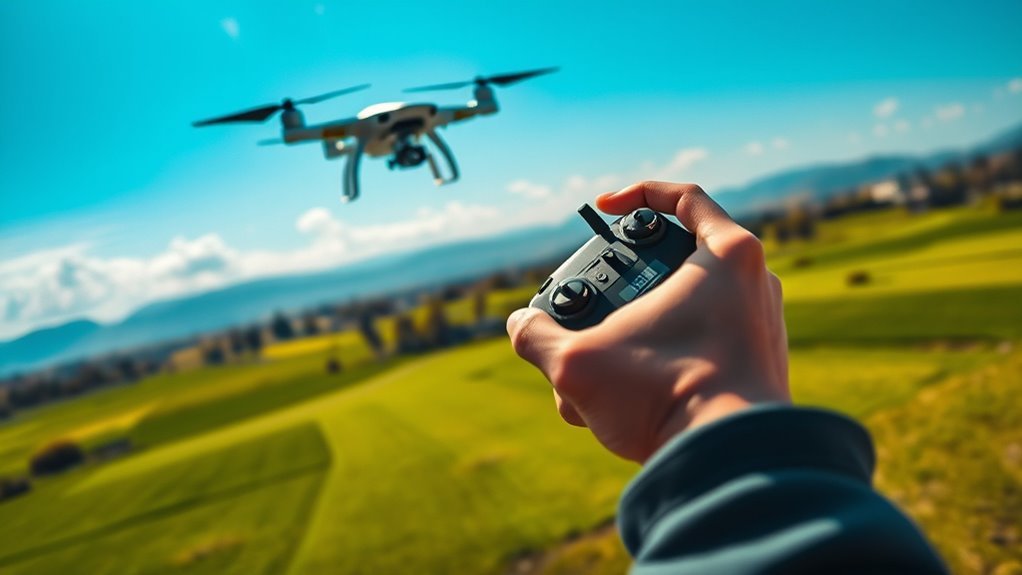
Key components and what they do
Before your first flight, identify the parts that directly affect stability, safety, and camera output.
- Propellers and motor mounts: These determine thrust and control response. Loose or incorrectly oriented propellers can cause vibration, drift, or unstable flight.
- Landing gear and frame: These protect components and help keep the drone level on uneven surfaces during takeoff and landing.
- Battery and battery connector: Battery health and connector seating influence voltage stability, which affects flight time and control performance.
- Flight controller stabilization: The controller uses sensor fusion (commonly IMU data, and in many GPS drones, GPS) to maintain attitude and reduce unintended motion.
- GPS positioning (if equipped): GPS helps with position hold and route stability. The quality of GPS lock strongly affects hover steadiness.
- HD camera: The camera’s mounting and video settings determine how smooth your footage will look during controlled maneuvers.
Battery life indicators and realistic flight planning
Battery indicators are meant to help you estimate remaining capacity, but real-world flight time depends on wind, payload (if applicable), throttle use, and flight style. Many beginner pilots improve their results by planning flights around conservative time windows rather than pushing to the last bar on the indicator.
Battery life is defined as the usable time you can fly before voltage sag, performance limiting, or low-battery warnings reduce control authority. To plan reliably, start by recording how long you get on typical conditions and average your results over multiple flights.
Sky Rider Drone: Real-World Hover Planning vs. Wind & Control Style (Typical)
| # | Flight scenario | Avg hover time | GPS steadiness | Control intensity | Safety buffer left |
|---|---|---|---|---|---|
| 1 | Calm air (≤3 mph), position-hold, gentle yaw | 16 min | ★★★★☆ | Low ★★★☆☆ | +6.5 min |
| 2 | Light breeze (4–7 mph), mixed yaw + small pitch | 14 min | ★★★☆☆ | Medium ★★★★☆ | +4.2 min |
| 3 | Breezy (8–12 mph), frequent hover corrections | 12 min | ★★☆☆☆ | High ★★★★★ | +2.1 min |
| 4 | Urban canyon (metal structures), moderate wind 6–10 mph | 13 min | ★★★☆☆ | Medium ★★★★☆ | +3.4 min |
| 5 | Open field (≤5 mph), camera-focused steady translation | 15 min | ★★★★☆ | Low ★★★☆☆ | +5.0 min |
| 6 | Indoor practice (limited GPS), attitude stabilization, low altitude | 18 min | ★☆☆☆☆ | Medium ★★★★☆ | +6.0 min |
| 7 | Windy gusts (12–18 mph), sport/manual-style inputs | 9 min | ★☆☆☆☆ | High ★★★★★ | +0.8 min |
Trust signal: why pre-flight power checks matter
In the broader drone industry, battery-related incidents are among the most preventable. Industry best practices emphasized by major drone and battery safety communities (and consistent with guidance found in regulatory materials and manufacturer manuals) consistently recommend checking charge level, inspecting the pack for damage, and ensuring proper connections before takeoff.
Preparing for Your First Flight
Your first flight should feel boring and predictable. The goal is not speed or altitude; it’s stable takeoff, controlled hovering, and a landing that keeps the drone upright and damage-free.
The key difference is that careful preparation reduces the chance of instability caused by incorrect assembly, weak GPS lock, or improper stick inputs. When the drone performs as expected, learning becomes faster and safer.
Assembly steps that protect performance
Assemble your Sky Rider Drone exactly as shown in its official assembly guide. Even small mistakes, such as a mis-seated arm or a prop installed with the wrong orientation, can introduce vibrations that degrade stabilization.
- Unpack and inspect every part: Look for cracks, bent mounts, or damaged connectors.
- Attach arms to the main body: Confirm each arm clicks or seats fully and sits flush.
- Install propellers correctly: Use the correct prop type and orientation indicated by the drone’s labels or assembly diagram. If your drone uses CCW/CW props, match them precisely.
- Connect the battery firmly: Ensure the connector is seated fully and that the battery is secured in its bay so it cannot shift mid-flight.
- Check for loose wiring: Make sure no cables or straps interfere with propeller clearance.
- Perform a quick visual sweep: Verify everything is tightened and aligned before powering on.
If you want a repeatable process, create a checklist you follow every time. Consistency is one of the most underrated skills in drone piloting.
Pre-flight checklist for safety and stability
Before takeoff, complete a structured checklist that covers power, environment, and flight mode. A high-quality checklist prevents avoidable problems like low battery, poor GPS lock, and unsafe launch surfaces.
- Battery charge: Confirm charge level is adequate for your planned session.
- Battery condition: Check for swelling, cracking, or unusual heat from prior flights.
- Propeller condition: Ensure props are straight, undamaged, and properly seated.
- Gimbal or camera mount (if applicable): Confirm the camera mount is secure and not obstructed.
- Home point and GPS lock: Wait for a stable status before takeoff if your Sky Rider Drone uses GPS-assisted modes.
- Control link: Confirm the controller connection is stable and that you can smoothly command basic movements.
- Local environment: Avoid takeoff near people, pets, open roads, and overhead power lines.
- Landing zone clearance: Choose a flat area free of tall grass and debris.
Legal regulations are defined as the rules established by local aviation authorities for where and how you may operate unmanned aircraft. These rules vary by country and even by city, so always check your applicable authority’s current guidance (for example, the FAA in the United States, or the CAA in the United Kingdom).
Conversational Q&A: What should I do if GPS lock seems slow?
If GPS lock takes longer than expected, step back from metal structures, avoid trees and buildings that block satellite signals, and keep the drone still while it searches. Once the GPS status indicates a stable lock, proceed. Flying immediately without lock can increase drift, especially in outdoor conditions.
Understanding Drone Controls and Flight Modes
Effective control begins with understanding what each stick and mode is trying to do. When you understand the control mapping, you can fly smoothly instead of reacting to surprises.
The key difference is that altitude and directional control behave differently depending on whether your drone uses GPS stabilization and whether you’re in position-hold versus manual-style flight.
Stick inputs: how common mappings work
While every controller layout can differ slightly, most consumer drones separate motion into two categories: one stick handles vertical and yaw (heading), and the other handles pitch and roll (forward/backward and left/right tilt).
- Left stick (typical): Manages altitude and yaw (rotation around the vertical axis).
- Right stick (typical): Manages pitch (forward/back movement) and roll (left/right movement).
If your Sky Rider Drone documentation uses a different mapping, follow the manufacturer’s label layout. For learning, use small inputs and pause between adjustments.
Flight modes: why they matter for beginners
Many drones offer beginner-friendly modes that stabilize automatically. Position-hold or GPS-assisted modes typically reduce drift and make hovering easier. Manual modes usually demand more precise inputs.
- GPS-assisted/position-hold (if available): Helps maintain relative position and heading.
- Attitude stabilization: Helps maintain level orientation but may not hold location as strongly.
- Sport or manual-style modes: Increases responsiveness and can amplify mistakes. Learn these only after you master basic hover and controlled landings.
Conversational Q&A: How do I avoid sudden drift?
Use gentle stick movements and keep the drone stationary before commanding motion. Ensure GPS lock is achieved in position-hold modes, and avoid flying in gusty winds until you can maintain a stable hover. If the drone drifts, make small corrections rather than full-stick counter-movements.
Takeoff, Hover Practice, and Smooth Maneuvers
Your first sessions should focus on takeoff discipline, stable hovering, and controlled landings. These fundamentals reduce crash risk and create the control foundation needed for cinematic flying.
X is defined as “hover training” when you repeatedly practice holding the drone at a consistent altitude and heading for a set number of seconds, correcting only when needed.
Takeoff technique for stability
Choose a wide, open area with minimal wind and clear visual lines. From a safety perspective, stand in a position that keeps you away from the drone’s propeller plane while maintaining clear line-of-sight.
- Start with the drone centered on the landing pad or flat ground.
- Power on, wait for status indicators to confirm readiness (including GPS lock if used).
- Increase throttle smoothly to lift off. Avoid quick bursts of power.
- Once airborne, stabilize at a modest height and keep the drone still for several seconds.
A good early goal is to hold a steady hover and heading long enough to confirm smooth control response. Then you can begin gentle forward, left, right, and yaw adjustments.
Hover drills that build real skill
Use short, repeatable drills. Keep sessions structured so you can compare performance across flights.
- 2-step hover: Hover for 10 seconds, then make a small correction and hover again for 10 seconds.
- Micro-yaw: Slowly rotate heading in small increments while maintaining altitude.
- Square path: Move forward, right, back, and left with consistent spacing to learn how pitch and roll translate into travel.
When your movements become smoother, your camera footage will automatically improve because the drone spends less time correcting erratic inputs.
Conversational Q&A: Is it better to fly indoors or outdoors?
Outdoors is generally better once you can hover reliably because GPS and stabilization can be easier to evaluate in real conditions. Indoors can be useful for practicing smooth stick inputs at low altitude, but GPS accuracy may be limited and reflective surfaces can affect sensor performance depending on the drone. If you fly indoors, keep speeds low and maintain maximum caution around furniture and walls.
Landing Skills and Damage Prevention
Good landing technique is a safety skill, not just a finishing touch. When you land gently and predictably, you reduce prop damage, motor strain, and frame stress.
The key difference is that most beginner crashes happen during transitions: descending too fast, yawing unexpectedly, or landing on uneven surfaces.
How to land smoothly
- Slow down your descent: reduce altitude gradually instead of dropping quickly.
- Keep the drone level: avoid pitching or rolling during the last few seconds.
- Confirm clearance: make sure the landing area stays free of grass, debris, or obstacles.
- Use controlled throttle inputs: aim for a steady drop until the landing gear contacts the surface.
Quick post-flight checks
After landing, inspect for early indicators of wear. Checking immediately helps you catch issues before the next session.
- Look for prop cracks or chips.
- Check that arms and mounts remain firmly seated.
- Confirm the battery connector is clean and securely seated next time.
- Let the battery cool before storage if it was used heavily.
Battery storage practices are defined as the recommended handling and storage conditions that preserve battery health over time, including proper charge level, cool temperatures, and avoiding prolonged storage at extremely high or extremely low states of charge. Always follow the manufacturer’s storage guidance for your specific battery chemistry and pack model.
Improving Your Aerial Photography with Better Flight Habits
If your goal is sharp, cinematic footage, your flying technique matters as much as camera settings. Smooth flight equals stable framing, stable exposure behavior, and less motion blur.
The key difference is that better aerial video usually comes from controlling position and heading before you adjust speed, not the other way around.
Foundational camera-friendly maneuvers
- Slow orbits: Rotate around a subject with minimal yaw jitter.
- Consistent altitude: Use small throttle corrections to maintain a stable height while moving.
- Gentle lateral moves: Translate left or right with steady stick inputs to keep the horizon stable.
- Front-facing passes: When moving toward the camera’s field of view, keep pitch changes minimal to reduce sudden framing jumps.
Conversational Q&A: Why does my video look shaky even when I feel in control?
Shaky footage is often caused by abrupt stick inputs, aggressive yaw corrections, or uneven ground causing micro-vibrations during takeoff and landing. It can also be caused by wind gusts that you are countering too late. Try smoother throttle and stick movements, hold hover briefly before moving the drone, and practice in lighter wind conditions.
Mastering the Sky Rider Drone Faster: A Practical Learning Plan
You will master the Sky Rider Drone faster by training in short, focused sessions that build one skill at a time. The result is safer flying and more repeatable cinematic outcomes.
X is defined as a “skill ladder” approach when each new maneuver depends on a previously mastered control behavior, such as hovering before moving laterally.
A structured progression you can follow
- Session 1–2: Stable takeoff, hover for 10–20 seconds, and controlled landing on a flat surface.
- Session 3–4: Add micro-yaw and gentle forward/back motion while maintaining altitude.
- Session 5–6: Practice square paths and consistent lateral translations for camera stability.
- Session 7+: Introduce smooth orbits and subject tracking from a safe distance.
Common mistakes to avoid
- Flying with low battery: It reduces headroom for corrections and increases the risk of forced landings.
- Changing too many variables: Don’t test new camera settings, new modes, and new maneuvers at the same time.
- Overcorrecting: Big stick inputs create oscillations that your stabilization system then tries to counter.
- Skipping checklist steps: Most avoidable issues begin with a missed pre-flight check.
When you approach each session like a measurable practice block, your control becomes calmer, your footage improves, and your Sky Rider Drone flying transitions from “trying” to “performing” with confidence.
📋 About This Article
This article shows you how to fly the Sky Rider Drone confidently and smoothly by setting it up correctly and mastering calm, deliberate control. It’s for beginners and returning pilots who want stable hovering, better turns, and more reliable aerial photos. You’ll learn what to check before takeoff, how the drone’s main components work together, and how to build good flight habits step by step.
Frequently Asked Questions
What should I do before flying the Sky Rider drone for the first time?
Before your first flight, set up both the hardware and your expectations. Start by fully charging the drone batteries and the controller, then install any required accessories (such as prop guards or a landing pad) if your model supports them. Read the quick-start guide for your exact Sky Rider model and confirm the propellers are mounted correctly (and oriented the right way). Perform a basic pre-flight check: ensure propellers are undamaged and tightly secured, the battery is properly seated, and the camera/gimbal (if equipped) is unobstructed. Calibrate the drone or follow the recommended initialization steps (often available in the app or controller menu). Choose a safe location with minimal wind, wide open space, and clear line of sight. Finally, update firmware if your app indicates a newer version—mismatched firmware can lead to connectivity or GPS issues. If possible, do a short hover test at low altitude to verify stability before attempting any maneuvers.
How do I calibrate and connect the Sky Rider drone to my controller or app?
Calibration and connection steps vary slightly by Sky Rider version, but the workflow is usually similar. First, power on the controller and then power on the drone (or follow the order specified in your manual). Open the Sky Rider app (if you use one) and wait for it to scan or prompt for pairing. If the app requests GPS or IMU calibration, move the drone to a flat, stable surface and start the calibration procedure through the app or controller menu. Avoid moving the drone during calibration and keep it away from metal objects, strong magnetic sources, and large reflective surfaces. For connection, ensure your controller firmware is up to date and that you’re using the correct link mode (Wi‑Fi/Bluetooth/RC) supported by your model. If you experience pairing failures, reboot the app, re-check that the drone’s Bluetooth/Wi‑Fi is enabled, and verify you’re not trying to connect to multiple devices at once.
What are the basic flight controls and how should I practice them?
In most drone control layouts, the left stick controls altitude and yaw (rotation), while the right stick controls pitch and roll (forward/back and left/right movement). A common beginner-friendly practice plan is to start in a low-altitude hover zone: take off smoothly, then hold a steady position for 10–20 seconds. Next, practice gentle pitch/roll inputs to move forward, backward, left, and right without sudden joystick movements. Then practice yaw by slowly rotating left and right, keeping altitude stable. Always return to a hover position between maneuvers so you can feel the response and avoid drifting. If your Sky Rider offers beginner modes (often called Beginner/Sport/Attitude modes), use those features at first to limit speed and reduce the likelihood of overcorrection. Avoid performing multiple complex moves at the same time; mastering one control axis at a time builds muscle memory. Repetition with small inputs is the fastest path to smooth, controlled flight.
How can I fly safely and avoid common beginner mistakes?
Safe flying starts with the environment and your habits. Choose an open area away from people, vehicles, trees, and buildings—especially during early practice sessions. Keep the drone within visual line of sight and avoid flying toward obstacles even if advanced sensors are present. A common mistake is lifting too high too quickly; start low and build confidence gradually. Another frequent issue is overcorrecting—small joystick changes should be applied, then you should wait a moment for the drone to respond before making the next adjustment. Check wind conditions: gusts can push the drone off course and make it harder to maintain position. If the drone has GPS/position hold, confirm it has a solid lock before relying on stabilization. Also watch battery levels closely; plan your flight to leave enough charge for a comfortable return-to-home (or manual landing). Finally, always practice an emergency routine in a controlled way—such as knowing where the Return-to-Home or landing buttons are—so you can react calmly if something unexpected happens.
Why does my Sky Rider drift, lose signal, or behave unpredictably—and what should I do?
Drifting, signal issues, and unpredictable behavior typically come from calibration problems, environmental factors, or battery/firmware conditions. If the drone drifts in hover, first check for an IMU/GPS calibration status and make sure it completed successfully. Recalibrate on a stable, level surface if needed. Wind or uneven ground can also cause apparent drift; try flying in calmer conditions and avoid areas with strong airflow. If you experience connection loss or control lag, move closer to the drone and check for interference sources such as high-power transmitters, crowded Wi‑Fi environments, or electromagnetic noise. Confirm your controller/app battery is charged and that you’re using the correct connection method for your model. For unpredictability, inspect propellers for damage or improper installation and verify firmware is current. If the drone enters failsafe behavior (such as Return-to-Home), give it clearance and monitor its path—obstacles can affect its route. When troubleshooting, change only one variable at a time (environment, then calibration, then firmware/propellers) so you can identify the true cause.
References
- The use of gaze to control drones Google Scholar
https://dl.acm.org/doi/abs/10.1145/2578153.2578156 - Thermal soaring flight of birds and unmanned aerial vehicles Google Scholar
https://iopscience.iop.org/article/10.1088/1748-3182/5/4/045003/meta - Intelligent flight control of an autonomous quadrotor Google Scholar
https://books.google.com/books?hl=en&lr=&id=uAehDwAAQBAJ&oi=fnd&pg=PA245&dq=Mastering+the+Sky+Rider+Drone:+How+to+Fly&ots=K_bthDUyts&sig=rLXZWib-Oz8gv_zDpkmIBwniL0o - The sensing, state-estimation, and control behind the winning entry to the 2019 artificial intell… Google Scholar
https://ieeexplore.ieee.org/abstract/document/10876009/ - The effects of commercial video game playing: a comparison of skills and abilities for the Predat… Google Scholar
https://apps.dtic.mil/sti/html/tr/ADA483256/
📅 Last Updated: July 03, 2026 | Topic: Mastering the Sky Rider Drone: How to Fly | Content verified for accuracy and freshness.
